


Brian GagneCo-founder and CTO, Kief Studio
- Published
- 12 min read
TL;DR: Dental practice cybersecurity comes down to a short list: unique logins with multifactor on email and practice management software, tested backups of X-rays and charts, patched imaging PCs, a separate network for devices and guests, signed agreements with every vendor that touches patient data, and a written plan for the day something goes wrong.
Dental practice cybersecurity rarely starts with a hacker. On October 8, 2026, the HHS Office for Civil Rights (OCR) announced that a small Pennsylvania dental practice, Shen Smiles, agreed to pay $140,000 after a patient could not get her records. The practice told OCR the records had been stolen by a workforce member. (HHS OCR, October 8, 2026 (opens in a new tab))
OCR's earlier notice in the case describes charts kept in clear plastic boxes, on the floor and in a private bathroom. (HHS OCR, Notice of Proposed Determination, July 2024 (opens in a new tab)) No ransomware, no stolen passwords. Just records nobody was looking after.
That is the useful lesson for a dentist or office manager in Shrewsbury or Fitchburg. OCR acts on the basics. This guide covers which systems dental practice cybersecurity has to protect, what the federal and Massachusetts rules expect, and the order to fix things in.
What does dental practice cybersecurity actually cover?
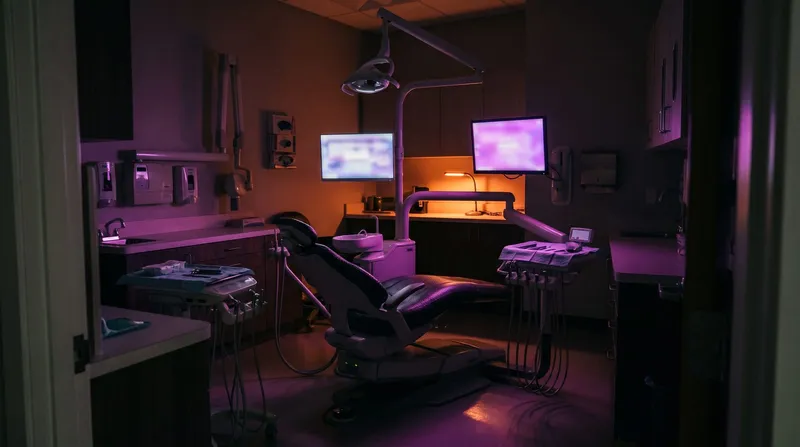
Start with a walk through the office, not a product catalog. In a typical general practice, dental practice cybersecurity covers these systems:
- Practice management software. Charts, treatment plans, schedules, insurance and billing. Whether it runs on a server in the back closet or in the cloud, it is the center of everything.
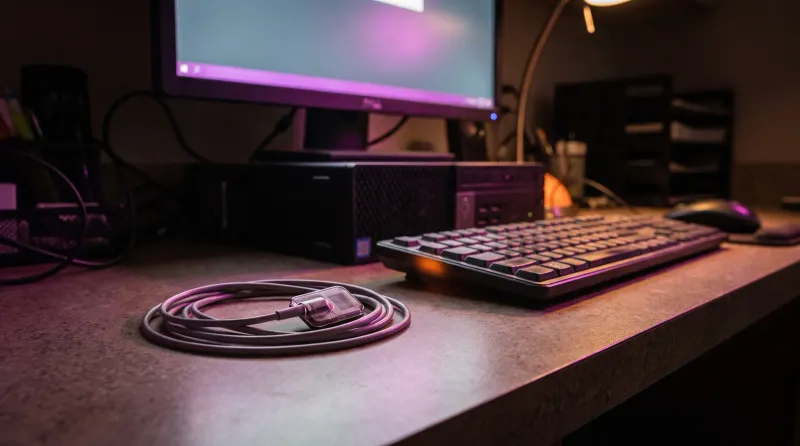
- Imaging. Intraoral sensors, the panoramic unit, a cone beam scanner if you have one, and the PCs and storage that hold the images.
- Email. Appointment confirmations, referrals, lab cases and the occasional message with a chart attached.
- Backups. Where copies of the charts and X-rays live, and whether anyone has tried to restore them.
- The patient portal and website. Online forms, booking and payments.
- Vendors with remote access. The imaging company, the practice management vendor, the phone provider and the IT person all reach into your systems.
- Paper. Old charts, consent forms and the sign-in sheet.
The federal government's own guide for small practices draws the same map. HHS and the Health Sector Coordinating Council publish the Health Industry Cybersecurity Practices (HICP), and its 2023 volume for small organizations lists the jobs those organizations do: clinical care, including "operating diagnostic equipment connected to a computer network," and practice management, including "patient scheduling systems, claims management, and bill processing." (HHS 405(d), HICP Technical Volume 1, 2023 Edition (opens in a new tab))
The same volume describes small organizations as ones that "generally do not have dedicated information technology (IT) and security staff." That is most dental offices. Dental practice cybersecurity still has to get done; it just has to be sized to the office.
Do dental offices have to follow HIPAA security rules?
Most do. Under HIPAA, a covered entity includes "a health care provider who transmits any health information in electronic form" in connection with a covered transaction, such as an electronic insurance claim. (45 CFR 160.103, via Cornell LII (opens in a new tab)) If your office sends claims electronically, HIPAA for dental offices is not optional.
The Security Rule then sets the floor. Two lines matter most for a small office:
- A data backup plan, meaning procedures "to create and maintain retrievable exact copies" of electronic patient information, plus a disaster recovery plan to restore any loss of data. (45 CFR 164.308(a)(7), via Cornell LII (opens in a new tab))
- A business associate agreement with any vendor that creates, receives, maintains or transmits that information for you. (45 CFR 164.308(b)(1) (opens in a new tab))
The rule also requires a risk analysis. That is its own procedure with its own steps, and it deserves its own guide, so this post stays on the practical security work in the office. If you want to follow the proposed changes to the Security Rule, I wrote up what the HIPAA Security Rule update means for a small practice (opens in a new tab).
HHS has also published voluntary Cybersecurity Performance Goals for health care. The ten "essential" goals set "a floor of safeguards" and include multifactor authentication, email security, revoking credentials for departing staff, and vendor cybersecurity requirements. (HHS, Healthcare and Public Health Cybersecurity Performance Goals (opens in a new tab)) Voluntary, but a good checklist for dental practice cybersecurity, because it was written for exactly this kind of office.
Where should dental practice cybersecurity start?
Here is the order I would work in. Each step maps to a practice in the 405(d) HICP small practice volume, and none of them needs a big budget to start.

1. Email and logins: the first step in dental practice cybersecurity
Give every person their own login to email and the practice management software. No shared front desk password. HICP says to provide "every employee with a unique user account tied to a unique email address" and to have a process to close accounts when someone leaves.
Then turn on multifactor authentication. NIST's small business guidance is plain about why: "Passwords alone are not effective in securing your most sensitive business assets." (NIST, Small Business Cybersecurity Corner (opens in a new tab)) HICP also warns small practices to avoid "free" or "consumer" email systems for patient information, and to make sure the email vendor signs a business associate agreement.
HICP lists social engineering, which includes phishing, first among the five threats it covers. If a message at the front desk looks off, the free phishing analyzer on kief.dev (opens in a new tab) can help someone check it, and my co-founder Meelie wrote a step-by-step guide on what to do with a suspicious email (opens in a new tab).
2. Dental imaging backups you have actually restored
CISA's ransomware guide says to "maintain offline, encrypted backups of critical data" and to "regularly test the availability and integrity of backups in a disaster recovery scenario." (CISA #StopRansomware Guide, September 2023 (opens in a new tab)) The American Dental Association gives dentists the same advice: back up regularly and keep a secured copy off-site. (ADA, Protect Your Practice from Ransomware (opens in a new tab))
Dental imaging backups need special attention because images often live in a different place from the charts. The imaging database may sit on one PC while the practice management data sits in the cloud. Ask your vendors where each piece lives, then confirm the backup covers both.
Once a quarter, restore a few patients' X-rays and a chart to a test machine and write down how long it took. Our note on the 3-2-1 backup rule covers the setup, and my partner Amelia's guide to backing up a business against ransomware (opens in a new tab) goes further.
3. Patch the imaging PCs, or wall them off
HICP tells small practices to configure endpoints "to patch automatically" and to remove operating systems and software that no longer get security updates. (HICP Technical Volume 1 (opens in a new tab)) In dental practice cybersecurity, the hard case is the PC that runs a sensor or a panoramic unit and only works with an older version of Windows.
When you cannot update it, isolate it: its own network segment, no email, no web browsing, and a replacement date in the budget. Our note on vulnerability management for a small team covers how to keep that list honest.
CISA also offers free vulnerability scanning of internet-facing systems to critical infrastructure organizations, and health care is one of those sectors. (CISA, Cyber Hygiene Services (opens in a new tab)) The scan only sees what faces the internet, but that is exactly where an exposed remote access port shows up.
4. Separate the network: devices, staff and the waiting room
HICP recommends placing "medical devices and IoT items" in more restricted network zones, and setting up guest networks "in conference rooms or waiting areas" so visitors never share a network with patient data. In a dental office that means three networks at minimum: one for staff computers, one for imaging and other devices, and one for patient Wi-Fi.
If you want the reasoning behind that design, our note on zero trust for Worcester medical offices walks through it.
5. Vendors and remote access
Vendors are the part of dental practice cybersecurity that owners most often leave to someone else. Your imaging company and your practice management vendor probably connect in remotely for support. HICP says to let third parties connect "only through tightly controlled interfaces" and to disable inbound Remote Desktop Protocol, which CISA lists as a bad practice. It also says a contract should spell out how access is removed and patient information returned or destroyed when the relationship ends.
Keep a one-page vendor list: who they are, what they can reach, how they connect, and whether the business associate agreement is signed. MyRHC's page on HIPAA business associate requirements (opens in a new tab) links the official sources.
6. Paper charts and the front desk
This is the Shen Smiles lesson: dental practice cybersecurity includes paper. Lock the chart room, keep patient records off the floor, and shred what has passed its retention date. HICP adds that data and network closets should stay locked, and that any device that cannot be encrypted needs physical controls like cable locks and locked rooms.
7. The day someone leaves
Close their email, practice management login, portal and remote access the day they go, and change any shared codes. HHS lists revoking credentials for departing workforce members among its essential goals. Our onboarding and offboarding checklist covers both ends.
8. A one-page plan for the bad day
CISA's guide says to "create, maintain, and regularly exercise a basic cyber incident response plan." For dental practice cybersecurity, one page is enough to start: who to call, how to shut down an infected PC, how to see patients on paper, and how to bill if claims stop.
That last line is not hypothetical. When Change Healthcare was attacked in February 2024, some dentists could not send electronic claims and attachments to insurers, and the ADA suggested tracking claims carefully or using paper claim forms until service returned. (ADA News, February 27, 2024 (opens in a new tab))
What happens if a dental office has a data breach?
Part of dental practice cybersecurity is knowing the rules before you need them, because they decide what happens next.

Under HIPAA, a ransomware infection on your systems is a security incident. OCR's guidance goes further: when ransomware encrypts patient information, "a breach has occurred," and a breach is presumed unless the practice can show a "low probability that the PHI has been compromised" using the factors in the Breach Notification Rule. (HHS OCR, Ransomware and Breach, hosted by NIST (opens in a new tab)) The ADA makes the same point for dentists: HIPAA requires providers to maintain access to records as well as protect them. (ADA (opens in a new tab))
Massachusetts adds its own notice. A business that owns or licenses a resident's personal information must notify the Attorney General, the Office of Consumer Affairs and Business Regulation, and the resident "as soon as practicable and without unreasonable delay." (M.G.L. c. 93H, section 3 (opens in a new tab)) Amelia, who runs Kief Studio with me, wrote a guide to Massachusetts data breach notification requirements (opens in a new tab) that covers the details.
And OCR can look at what was in place before the incident. In the Shen Smiles case, OCR found the practice had no policies and procedures for the Privacy and Breach Notification Rules and did not reasonably safeguard patient information. (HIPAA Journal, October 9, 2026 (opens in a new tab)) Good dental practice cybersecurity means that, on the bad day, the plan, the backups and the paperwork already exist.
Dental practice cybersecurity in Central Massachusetts
Worcester County had 351 offices of dentists with employees in 2023, employing 2,952 people. Of those offices, 328, about 93%, had fewer than 20 employees. (U.S. Census Bureau, County Business Patterns 2023 (opens in a new tab)) That is the newest county data; the Census Bureau has not set a release date for 2024.
So dental practice cybersecurity here is mostly small-office work: a server or a cloud system, a handful of imaging PCs, a few vendors, and one person who ends up as the IT department by default. HICP expects that. Its small practice volume notes that many small organizations "use third-party IT support and cloud service providers" and suggests asking those providers to review its practices to decide which apply.
A few local points to carry into that conversation:
- If you hold personal information about Massachusetts residents, 201 CMR 17 expects a written information security program. Amelia's guide to Massachusetts WISP requirements (opens in a new tab) explains it.
- Ask any IT provider what dental practice cybersecurity work they already do, how they reach your office for an on-site visit, how fast, and how it is billed. Imaging problems are often hands-on.
- Ask who watches the alerts, and during which hours. A sensor PC that starts talking to the internet at 2am is worth knowing about.
Frequently asked questions
Do dental offices have to follow HIPAA security rules?
For most practices, yes. A dentist who sends insurance claims or other health information electronically is a HIPAA covered entity, so the Security Rule applies, including a data backup plan and business associate agreements with vendors that handle patient data.
What happens if a dental office has a data breach?
The practice works through the HIPAA Breach Notification Rule, which can mean notifying patients and HHS, and Massachusetts law requires notice to the Attorney General, the state consumer affairs office and affected residents. OCR may also look at what safeguards were in place beforehand.
How should a dental office back up X-rays and records?
Keep encrypted copies off-site and offline, cover both the imaging database and the practice management data, and test a restore every quarter. Write down how long the restore took so you know how fast the office can get back to seeing patients.
What is the biggest cyber risk for a small dental practice?
For dental practice cybersecurity, it is usually email and logins: a phished password on an account without multifactor authentication. HHS's 2023 small practice guide lists social engineering and ransomware first among the five main threats to healthcare organizations.
Is ransomware a HIPAA breach for a dental office?
According to OCR guidance, when ransomware encrypts patient information a breach is presumed unless the practice can show a low probability that the information was compromised, based on the factors in the Breach Notification Rule.
Does our imaging vendor need a business associate agreement?
If the vendor creates, receives, maintains or transmits patient information for you, including through remote support or hosted storage, the Security Rule expects a business associate agreement. Keep a signed copy for each vendor on your list.
Who is responsible for dental practice cybersecurity in a small office?
The Security Rule requires each practice to identify a security official responsible for its security policies and procedures. In a small office that is often the dentist or the office manager, working with an IT provider. Dental practice cybersecurity works best when one named person owns the list.
Where can a dental office find free cybersecurity guidance?
Good dental practice cybersecurity starts with free sources: the HHS 405(d) HICP small practice volume, CISA's StopRansomware guide and free vulnerability scanning, NIST's small business pages, and the ADA's risk management resources for dentists.
This article is general information, not legal advice. Kief Studio is not a law firm, and reading it does not create an attorney-client relationship. Laws and regulations change, so check the current text and talk with a licensed Massachusetts attorney about your situation.
Where we fit
Where we are experts is getting a practice's systems to match what HIPAA requires, and guiding you through the rest in plain terms. We start by finding where patient data actually lives, then set up the systems around it to meet the requirements, then help you get the paperwork to match. Our compliance work follows the same order as this post. We are not lawyers or your auditor, so when a question needs one, we will tell you. That is most of what dental practice cybersecurity comes down to in a small office.
For the bad day, our threat detection and response work wires up the signals from your systems and writes down what happens for each alert: who acts, what they check, what they do. Round-the-clock coverage is something you can add, not something you are signed up for by default. If you want one accountable team running the systems behind the practice, see managed technology services.
We are in Shrewsbury and work with practices across Shrewsbury, Northborough, Fitchburg and the rest of Worcester County.
First conversation is free. No commitment.
Co-founder and CTO, Kief Studio
Related articles

Protect
HIPAA Risk Assessment for a Small Practice in MA
HIPAA risk assessment for a small Massachusetts practice: the seven steps, the free HHS SRA Tool v3.7, and the records OCR expects to see.
Amelia Gagne

Protect
Small Business Cybersecurity Cost in Massachusetts
Small business cybersecurity cost explained for Massachusetts owners: what drives it, what to pay for first, breach costs, and in-house vs outsourced.
Brian Gagne

Protect
Vulnerability Management for a Small Business: Scanning and Patching That Actually Happens
Vulnerability management for a small business: rank by real exposure with CISA KEV and EPSS, patch monthly, and isolate what you can't patch.
Brian Gagne