


Brian GagneCo-founder and CTO, Kief Studio
- Published
- Updated
- 12 min read
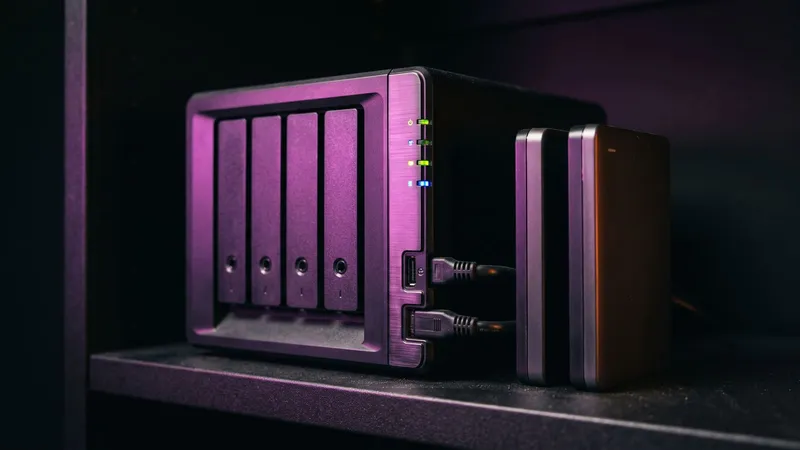
TL;DR: A small business backup plan that works keeps three copies of what matters on two kinds of storage, with one copy offsite and out of reach of the passwords that run your office. Back up email, cloud apps, databases and configurations, not just files. Then prove it by restoring something on a schedule.
Small business backup is easy to agree with and easy to never check. Here is a quick test for any office in Worcester County: do you know when someone last restored a backup, how long it took, and who has the password to the copy that matters?
Why should you back up your data?
Because data gets lost in boring ways far more often than dramatic ones. NIST's National Cybersecurity Center of Excellence puts it plainly: "Ransomware, destructive malware, insider threats, and even honest user mistakes present ongoing threats to organizations." (NIST SP 1800-25, December 2020)
Honest mistakes are on that list for a reason. A deleted folder, a corrupted spreadsheet synced over the good one, a laptop that slides off a car roof on Route 9.
Ransomware tests a small business backup hardest. Verizon's 2026 Data Breach Investigations Report found ransomware in 48% of all the breaches it analyzed, up from 44% the year before. (Verizon 2026 DBIR) The same report found that 69% of ransomware victims did not pay, and that the median ransom among those who did was $139,875.
Most victims now refuse to pay, and that refusal only works when a small business backup gives you a clean copy to go back to.
What is the 3-2-1 backup rule?
CISA, the federal cybersecurity agency, hosts the version most people quote, from a paper written for US-CERT. It says to follow the 3-2-1 rule (CISA, Data Backup Options):
- 3: "Keep 3 copies of any important file: 1 primary and 2 backups."
- 2: "Keep the files on 2 different media types to protect against different types of hazards."
- 1: "Store 1 copy offsite (e.g., outside your home or business facility)."
MassCyberCenter, the state's cybersecurity center at MassTech in Westborough, repeats the standard for Massachusetts cities and towns and adds two lines: make backups immutable "to reduce ransomware impact," and "Be sure to test your ability to restore from backups regularly." (MassCyberCenter, Minimum Baseline of IT, 2023)
NIST adds the detail most offices miss on the offsite copy. When choosing offsite storage, it lists "distance from the organization and the probability of the storage site being affected by the same disaster as the organization's primary site." (NIST SP 800-34 Rev. 1) A small business backup drive in the same Shrewsbury building as your server is a second copy. It is not an offsite copy.
What does 3-2-1 look like for a 12-person office?
Here is one way a small business backup could look. Take a hypothetical 12-person accounting office in Shrewsbury with a file server, a practice management database, cloud email and a cloud accounting app.
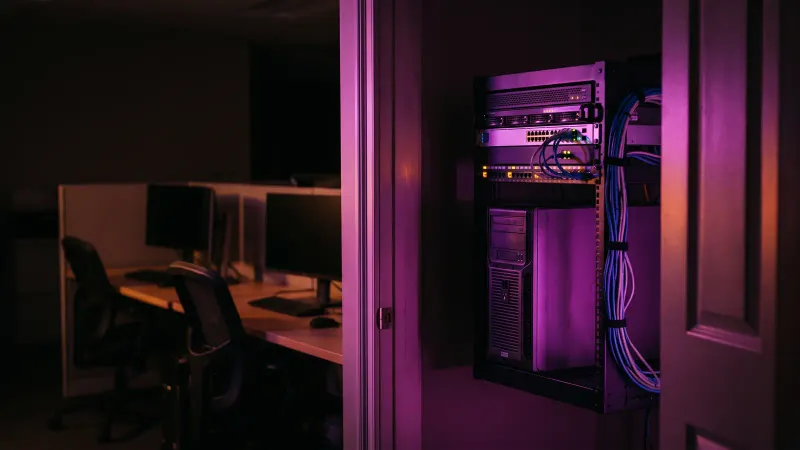
- Copy one is production. The server, the database and the cloud apps, as people use them every day.
- Copy two is local and fast. A backup device in the office that takes nightly copies of the server and the database. This is the copy for a folder deleted on Tuesday morning, because a local restore is quick.
- Copy three is offsite and locked. A cloud backup in a separate account with its own login, keeping versions that cannot be changed or deleted for a set period. This is the copy for when the office itself is the problem.
- The cloud apps get their own backup. Email and the accounting app are copied out to storage the office controls, on the same schedule.
- Every quarter, someone restores something. One mailbox, one client folder, one copy of the database, onto a test machine, with a stopwatch running.
A small business backup schedule follows the business. CIS, the nonprofit that writes the CIS Controls, sets a floor for its most basic tier: "Run backups weekly, or more frequently, based on the sensitivity of the data." (CIS Controls, Safeguard 11.2) For a busy practice database, nightly is a better starting point. How much work you can afford to retype is your recovery point; our RTO versus RPO guide covers setting it.
What should a small business backup cover besides files?
NIST's ransomware guides list what is actually at risk: "database records, system files, configurations, user files, applications, and customer data." (NIST SP 1800-25, NIST SP 1800-26) CISA's 2025 performance goals go further, and ask for a list of every backup "including installation media, license keys, configuration information, and backup retention period." (CISA CPG 2.0, goal 3.O)
For a small business backup, that usually means covering:
- Line-of-business databases. Practice management, scheduling, inventory, point of sale. Use the backup method the vendor documents, not a copy of files while it runs.
- Email. For many offices, the inbox is the filing cabinet.
- Cloud apps. CRM, accounting, project tools. Their recycle bins are not a backup you control.
- Configurations. Firewall settings, server setup, DNS records, the website.
- Installers and license keys. The specialty software you could not download again today.
- The recovery plan itself. CISA asks for "a hard copy of the plan and an offline version." Our incident response guide covers the rest of the plan.
CISA also warns that "automated cloud backups may not be sufficient because if local files are encrypted by an attacker, these files will be synced to the cloud, possibly overwriting unaffected data." Sync keeps two copies the same. A small business backup keeps an older, different copy on purpose. I covered how long Microsoft 365 and Google Workspace keep deleted email and files, which is not the same as a backup.
How do you keep ransomware away from your backups?
Assume the attacker will go looking for your small business backup. CISA says "most ransomware actors attempt to find and subsequently delete or encrypt accessible backups to make restoration impossible unless the ransom is paid," and that they "hunt for and collect credentials stored in the targeted environment and use those credentials to attempt to access backup solutions." (CISA #StopRansomware Guide)
Three agencies give the same answer in slightly different words:
- CISA: "Maintain offline, encrypted backups of critical data, and regularly test the availability and integrity of backups in a disaster recovery scenario."
- The FBI: "Create off-site or offline backups," and make sure backup data is "encrypted, immutable (i.e., cannot be altered or deleted), and covers the entire organization's data infrastructure." (FBI IC3 2025 Internet Crime Report)
- The FTC, writing for small businesses: "set up offline, off-site, encrypted backups of information essential to your business." (FTC, November 2021)
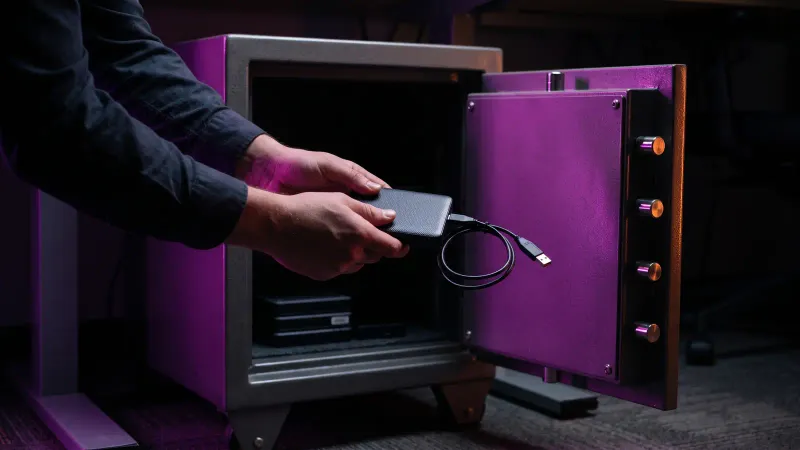
Offline means a copy no logged-in account can reach. Immutable means a copy nobody, including you, can change or delete until its retention period ends; CISA notes some cloud vendors offer it.
One caution from CISA itself: "Use immutable storage with caution as it does not meet compliance criteria for certain regulations and misconfiguration can impose significant cost." Set the lock period on purpose. A long lock on a large set of nightly copies is storage you keep paying for until the lock ends.
The small business backup checklist:
- The backup system has its own admin login, separate from everyday accounts and the server's sign-in.
- That login uses multi-factor authentication. The FBI asks for it "for all services to the extent possible."
- At least one copy is offline or immutable, and someone has checked the setting is on.
- Backup software gets patched. CISA notes that attackers "use publicly available exploits to target unpatched backup solutions."
My wife Amelia, Kief Studio's co-founder and CEO, wrote a step-by-step guide on how to back up a business against ransomware, and it goes deeper on that threat.
How often should you test a backup restore?
A small business backup you have never restored is a hope, not a backup. NIST's Cybersecurity Framework 2.0 writes it into the outcome itself: "Backups of data are created, protected, maintained, and tested." (NIST CSF 2.0, PR.DS-11)
On frequency:
- At least once a year. CISA's performance goals say "Test backups and recovery on a recurring basis, no less than once per year."
- Quarterly is better. CIS Safeguard 11.5 says "Test backup recovery quarterly, or more frequently, for a sampling of in-scope enterprise assets." (CIS Controls, Safeguard 11.5)
A quarterly small business backup drill fits in an afternoon:
- Pick one mailbox, one folder from three months ago and one copy of the main database.
- Restore them to a test machine, never over the live copy.
- Open them. Can someone actually use the file and find last month's invoices in the database?
- Write down how long each restore took and what broke. That time is your real recovery time.
For the command-line version on a server, I keep a backup verification cheat sheet on my own site.
How long should you keep backups?
Retention is how far back a small business backup lets you go. If you keep 7 days of copies and someone notices a corrupted database on day 10, every copy you have is already corrupted.
No reference gives one magic number. CIS asks for retention with "both minimum and maximum timelines." (MassCyberCenter, citing CIS Safeguard 3.4) NIST says backup policies should set "the minimum frequency and scope of backups" and "media rotation frequency" based on how critical the data is. (NIST SP 800-34 Rev. 1)
A starting point for small business backup retention, to adjust:
- Short term: daily copies kept for a few weeks, for everyday mistakes.
- Medium term: weekly or monthly copies kept for a year, for problems found late.
- Long term: whatever your accountant, your attorney or your regulator says you must keep, and no longer than that.
The maximum matters too, because old backups are still copies of client data. Massachusetts businesses holding personal information have obligations under state rules, and MyRHC's Massachusetts compliance index lists the sources. Your attorney sets the legal floor. On the minimum side, I wrote up how long Massachusetts businesses have to keep records.
Who should hold the keys to your small business backup?
This is the first question worth asking, because in a small office the honest answer can be one person, or someone who has already left.
The first key is the encryption key. NIST says keys "should be stored separate from, but accessible to, the primary encrypted backup data." (NIST SP 800-34 Rev. 1) If the only copy of the key lives on the server that gets encrypted, the backup is unreadable to you too.
The second is the login. CIS asks you to "protect recovery data with equivalent controls to the original data." (CIS Safeguard 11.3, via MassCyberCenter) In practice:
- At least two people can reach the backup account, and one is an owner.
- Recovery credentials and keys are stored offline, somewhere an office fire would not reach.
- If a provider runs your backups, the account is in the business's name and you can get your data out without asking.
- When someone leaves, their access to the backups ends the same day.
What are the best cloud backup solutions for small businesses?
We don't recommend small business backup products here, because the right one depends on what you run. Here are the categories, and the questions that separate a good choice from a regret.
- File sync and share services. Good for working together, not a backup on their own: sync copies mistakes and encryption as faithfully as good work.
- Computer and file backup services. Software that sends versioned copies of each machine to the provider's cloud.
- Cloud-to-cloud backup for business apps. Copies of email and app data stored outside the original vendor. CISA suggests considering "a multi-cloud solution to avoid vendor lock-in for cloud-to-cloud backups in case all accounts under the same vendor are impacted."
- Server image backup with offsite copies. Whole-machine copies to rebuild a server, kept locally and offsite.
- Object storage used as a backup target. Cloud storage your backup software writes to, often with an immutability setting.
- Backups run as part of managed hosting. Your provider backs up and restores the systems it hosts.
Ask these of any small business backup option before you compare prices:
- How many versions does it keep, and for how long?
- Can any copy be made immutable, and who can turn that off?
- How fast can we restore one file? A whole mailbox? Everything?
- Does it cost money to restore or to download our data?
- Does it cover our databases and cloud apps, or only files?
- If we leave, how do we get all of our data out, and in what format?
On cost: I could not find a reputable, independent survey of small business backup pricing, so I won't print a range. The drivers are total data, versions kept, restore or download fees, and how much work you do yourselves. Lock-in is a cost too; see vendor lock-in.
What does this mean for a business in Central Massachusetts?
Small business backup is often somebody's side job.

The FBI's Internet Crime Complaint Center logged 22,936 complaints from Massachusetts in 2025, all crime types together, and ranked the state fifth in the country for complaints per 100,000 people. (FBI IC3 2025)
The same report looked at more than 1,400 ransomware complaints from businesses outside the critical infrastructure sectors. The most common were legal services at 18%, contracting services at 17%, and engineering and architectural services at 10%. A law office in Worcester or a contractor in Grafton is exactly that kind of business.
There is free state help, too. MassCyberCenter publishes a Minimum Baseline of Cybersecurity for Small Business, built on the CIS Controls. Its data step asks a business to "establish and maintain data recovery practices sufficient to restore in-scope enterprise assets to a pre-incident and trusted state."
Frequently asked questions
What is the 3-2-1 backup rule?
Keep three copies of important data, one primary and two backups, on two kinds of storage, with one copy offsite. CISA hosts the standard wording.
Is cloud sync the same as a backup?
No. Sync keeps copies identical, so a deleted or encrypted file is deleted or encrypted everywhere, as CISA warns.
How often should a small business backup run?
CIS sets weekly as the floor. Busy databases and shared files usually deserve nightly, set by how much work you could afford to redo.
How often should we test restoring from backup?
CISA asks for at least once a year. CIS recommends quarterly, on a sample of systems.
What is an immutable backup?
A copy that cannot be altered or deleted until its retention period ends, as the FBI describes it. Set the lock period on purpose, since CISA notes misconfiguration can be costly.
Do we need to back up email and cloud apps?
Yes. A small business backup should copy email, CRM and accounting data to storage the business controls, outside the original vendor's account.
This article is general information, not legal advice. Kief Studio is not a law firm, and reading it does not create an attorney-client relationship. Laws and regulations change, so check the current text and talk with a licensed Massachusetts attorney about your situation.
Where we fit
Kief Studio is in Shrewsbury. We run cloud infrastructure for businesses in Worcester, Shrewsbury, Westborough, Grafton and across Central Massachusetts. It is for teams that want backups that actually restore, deploys that repeat the same way every time, and isolated environments for each product or client.
We inventory what runs today and move it onto dedicated infrastructure defined as code, so every environment can be rebuilt, and we set up DNS, backups that are tested by restoring them, and a repeatable deploy path. Through managed technology services, we host it on LTFI, the system we built, and keep it patched, hardened and monitored. The data is yours, and the setup can be rebuilt somewhere else. No shared hosting. Dedicated infrastructure.
You can see what that looks like for Worcester and Shrewsbury businesses.
First conversation is free. No commitment.
Co-founder and CTO, Kief Studio