


Brian GagneCo-founder and CTO, Kief Studio
- Published
- Updated
- 13 min read

TL;DR: IT onboarding is the work of giving a new employee exactly the access their job needs, on a device that is ready and encrypted, before they start. A small business IT onboarding checklist has four parts: before day one, day one, the first 30 days, and the records that prove each step happened.
An IT onboarding checklist is one of the cheapest security controls a small business can own. It costs a printed page and about an hour of someone's time per new hire. What it buys is that every person who joins your company starts with the right logins, a laptop that is ready, and a clear idea of who to call when something looks wrong.
Plenty of small offices run on a habit instead: the owner or the office manager remembers most of the steps, most of the time. That works until the week three people start at once, or the person who remembers is on vacation.
Here is the IT onboarding checklist I would hand a ten-person office in Worcester County, with the Massachusetts rules that touch it.
What is the onboarding process in IT?
The onboarding process in IT is everything that happens between "the offer was accepted" and "the new person can do their job safely." An IT onboarding checklist covers four things:
- Accounts. Email, the shared drive, the line of business software, the password manager, and anything else the role touches.
- A device. A laptop or desktop that is updated, encrypted and set up before the person sits down.
- Habits. Multifactor sign in, how to store passwords, how to spot a fake email, and who to call.
- Records. A written note of what was granted, when, by whom, and what the person agreed to.
HR onboarding gets someone paid. IT onboarding gets someone working without opening a hole in the business. In a small company one person often does both, so this IT onboarding checklist is written for that person.
Why an IT onboarding checklist matters: Verizon's 2026 Data Breach Investigations Report found the human element present in 62% of breaches, up slightly from 60% the year before. (Verizon, 2026 DBIR Executive Summary) A new employee has no way yet to know what normal looks like here, and that is exactly what an email saying "Hi, it's the owner, quick favor" counts on.
What goes on an IT onboarding checklist before day one?
Most of an IT onboarding checklist happens before the person arrives. Start it the day the offer is signed, and give yourself at least three business days.
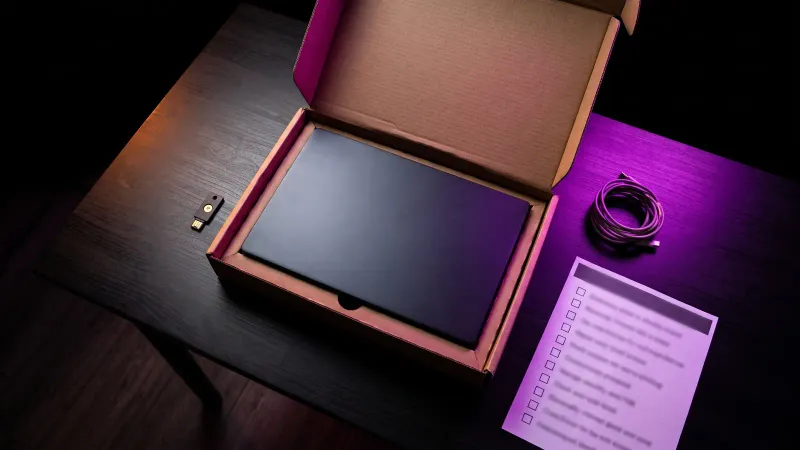
- Write down the role's access list. Not "same as Sarah." The actual systems, folders and software, and whether the role needs admin rights (it almost never does).
- Create the accounts from that list. One account per person. No shared logins, no "frontdesk@" password passed around on a sticky note.
- Prepare the device. Install updates, turn on full disk encryption, install your security software, and write down the serial number.
- Set up multifactor sign in so it is ready to enroll. The new hire finishes enrollment on day one, in front of someone, with their own phone or a security key you hand them.
- Add a seat in the password manager. Share only the vault folders the role needs.
- Schedule the first hour. Book 60 minutes on day one with whoever does IT.
On device encryption, the Federal Trade Commission's small business guidance is direct: "Encrypt devices and other media that contain sensitive personal information." (FTC, Cybersecurity for Small Business) Massachusetts goes further for laptops, which I cover below.
On multifactor, CISA's Cybersecurity Performance Goals rank the options. Phishing resistant methods such as security keys come first, authenticator apps second, and text or voice codes are "only used when no other options are possible." (CISA, Cross-Sector Cybersecurity Performance Goals 2.0, December 2025) For anyone who touches money or admin settings, issue a security key.
How much access should a new employee get?
Exactly what the job needs, and nothing that is "easier to just give them." This is the principle of least privilege.

CISA's version is plain: "All user accounts, system roles, and processes operate with the minimum privileges necessary to perform their tasks." The same goal asks for quarterly reviews of access permissions, and CISA rates it low cost, high impact and simple to put in place. (CISA CPG 2.0, goal 3.H)
Massachusetts puts it in regulation: businesses holding residents' personal information electronically must "restrict access to records and files containing personal information to those who need such information to perform their job duties," with a unique ID for each person. (201 CMR 17.04)
Here is how that looks on a real IT onboarding checklist. A dental office in Shrewsbury hiring a front desk coordinator might grant:
- Email and the shared calendar.
- The scheduling and billing system, at the front desk role, not the admin role.
- The "Front desk" folder on the shared drive, not the whole drive.
- Two shared vault entries in the password manager: the phone system and the insurance portal.
Not payroll, the bank, the domain registrar or the email admin console. If the job later needs one, someone approves it and you write it down on the IT onboarding checklist.
One more CISA rule worth copying: "User accounts do not have administrator privileges," and administrators keep a separate account for email and browsing. (CISA CPG 2.0, goal 3.G) If your new hire is the person who will run IT, they get two accounts on day one.
For designing access so a stolen password reaches as little as possible, see our note on zero trust architecture.
What should happen on a new employee's first day?
The first hour sets the habits. Do it before the person opens a customer file, because CISA's training goal says "New employees receive initial cybersecurity training prior to accessing computer systems." (CISA CPG 2.0, goal 3.J)
Here is the 60 minute agenda from our IT onboarding checklist that covers it:
- Minutes 0 to 10: sign in and set a passphrase. Long beats complicated.
- Minutes 10 to 20: enroll multifactor. Security key or authenticator app first. Test it by signing out and back in.
- Minutes 20 to 30: set up the password manager. Save a login, find a shared one, and keep work passwords off personal browsers.
- Minutes 30 to 45: the security basics. What a fake invoice or a fake "it's the owner" email looks like, and one rule: any request to change bank details or buy gift cards gets confirmed by phone, at a number you already have.
- Minutes 45 to 55: who to call. One name and one number for "I clicked something." Say out loud that reporting fast is the right move.
- Minutes 55 to 60: sign the paperwork. Your acceptable use policy and a confidentiality agreement.
On that last step, the FTC's guide for protecting personal information says: "Ask every new employee to sign an agreement to follow your company's confidentiality and security standards." (FTC, Protecting Personal Information: A Guide for Business)
How long should a new employee's password be?
Put three government sources side by side and they agree on direction, not on one number. The FTC says "A strong password is at least 12 characters." (FTC) CISA's public guidance says "At least 16 characters." (CISA, Secure Our World) NIST's current standard, SP 800-63B-4, requires at least 15 characters when a password is the only thing protecting an account, and at least 8 when it is one part of multifactor sign in. (NIST SP 800-63B-4)
The simple version for your IT onboarding checklist: a passphrase of 16 characters or more, plus multifactor, and you are past every one of those lines.
NIST also retired two old habits. Systems "SHALL NOT impose other composition rules (e.g., requiring mixtures of different character types)," and "SHALL NOT require subscribers to change passwords periodically," unless there is evidence a password was compromised. And they "SHALL allow the use of password managers and autofill functionality." (NIST SP 800-63B-4) So drop the 90 day reset, drop the "one symbol, one capital" rule, and hand people a password manager.
My wife Amelia, Kief Studio's co-founder and CEO, wrote the case for that last step in why a password manager is the best security investment (opens in a new tab) a small business makes. When a new hire is unsure about an email in week one, a free tool like the kief.dev phishing analyzer (opens in a new tab) gives them a second opinion, but the first move is still to ask the person you named in minute 45.
What belongs in the first 30 days?
The first month of the IT onboarding checklist checks that the access you granted matches the job they actually do.
- Day 7: the "what's missing" check. Ask what they could not get into. Grant what the job needs, with approval, in writing.
- Day 14: the "what's extra" check. Compare their actual access to the role list. Remove anything granted "just in case."
- Day 30: the role review. Their manager signs off that access matches the job, and the role list gets updated for the next hire.
- Day 30: the second training touch. Fifteen minutes on one real example: a phishing email your office actually received, with the giveaways pointed out.
- Day 30: the device check. Confirm updates are installing, encryption is still on, and the security software is reporting in.
NIST's guide to building a learning program, SP 800-50 Rev. 1, separates new employee onboarding from training for all users, and says awareness activities "should be conducted on an ongoing basis throughout the year." General workforce training is "often annual but preferably more frequent." (NIST SP 800-50 Rev. 1, September 2024) CISA asks for at least annual training covering social engineering, reporting suspicious activity, acceptable use and basic hygiene like choosing passwords. (CISA CPG 2.0, goal 3.J)
One onboarding session is a starting point. The regular touches after it are what keep the habits.
What records should an IT onboarding checklist leave behind?
If a step on the IT onboarding checklist is not written down, you cannot review it or undo it. Keep one record per employee, in one place, with:
- The role access list, and each system actually granted, with the date and who approved it.
- The device: make, model, serial number, the date encryption was confirmed.
- Multifactor method enrolled, and any security key serial number issued.
- Training dates: the day one session, the 30 day touch, and each one after.
- Signed acceptable use policy and confidentiality agreement.
- The 30 day review sign off.
The record your IT onboarding checklist leaves is also half of a clean exit: when the person leaves, the list of what to turn off already exists. The other half is my employee offboarding checklist for IT access (opens in a new tab).
If your company's logins and admin accounts live with one person or one vendor instead of in the company's name, fix that first. Our note on who owns the website and login covers how to check.
What does Massachusetts require when you onboard an employee?
There is no "IT onboarding law." There is 201 CMR 17.00, the state data security regulation for businesses holding Massachusetts residents' personal information, and an IT onboarding checklist touches it in three places.
First, the training and access rules. A business's written security program must include "ongoing employee (including temporary and contract employee) training." (201 CMR 17.03) Beyond the access limit above, its computer rules include "restricting access to active users and active user accounts only," "Encryption of all personal information stored on laptops or other portable devices," and "Education and training of employees on the proper use of the computer security system." (201 CMR 17.04) Each already has a step on the IT onboarding checklist.
Second, the new hire's own paperwork. Under state law, "personal information" means a resident's name together with a Social Security number, a driver's license or state ID number, or a financial account or card number. (M.G.L. c. 93H, section 1) A withholding form, a direct deposit form and a license copy all qualify, so the folder holding new hire paperwork gets the same limits as a customer file.
Third, the federal Form I-9, where it touches IT. The employee completes Section 1 "no later than their first day of employment," and the employer completes Section 2 "within 3 business days of the date of hire." (USCIS, Section 1; USCIS, Section 2) Employers in good standing with E-Verify may examine documents remotely, which means a live video call and keeping "a clear and legible copy" of each document. (USCIS, Remote Examination of Documents)
Stored electronically, I-9s and those copies need real IT controls: access for authorized personnel only, backup and recovery, and a permanent record of who created or changed each one, and when. (8 CFR 274a.2) Forms are kept for three years after hire or one year after employment ends, whichever is later. (USCIS, Retaining Form I-9) A shared folder everyone can open does not meet that bar. For the other employee records you keep, I wrote up how long to keep business records in Massachusetts (opens in a new tab).
This is a practical summary, not legal advice. For the full program, Amelia's guide to Massachusetts WISP requirements (opens in a new tab) walks through it, and our compliance work helps a business build toward it.
Why do Central MA small businesses need an IT onboarding checklist?
Because they hire constantly and mostly without an IT department. Over the 12 months ending October 2025, Massachusetts employers averaged 105,000 hires per month. (U.S. Bureau of Labor Statistics, Massachusetts Job Openings and Labor Turnover, October 2025)

Now place that next to Worcester County. In 2023 the county had 19,181 business establishments with employees, and 16,335 of them, about 85%, had fewer than 20 people. (U.S. Census Bureau, County Business Patterns 2023)
Put those two numbers together. Much of the onboarding here happens in offices where the person setting up the laptop also runs payroll and answers the phone. They do not need a bigger IT budget. They need an IT onboarding checklist that works the same way every time.
Print the IT onboarding checklist. Put the role access lists in the same folder. The next time someone starts in Worcester, Shrewsbury or anywhere else, the steps are already written.
Frequently asked questions
What is the onboarding process in IT?
Giving a new employee the accounts their role needs, an encrypted device, multifactor sign in, basic security training and a person to call, then writing down what was granted.
How far ahead should you start the IT onboarding checklist?
Start the day the offer is signed and allow at least three business days, so day one is about habits, not waiting for logins.
Should a new employee get admin rights to their laptop?
Usually no. CISA's performance goals say user accounts do not have administrator privileges, and people who do admin work keep a separate everyday account for email and browsing.
Do we still need to make employees change passwords every 90 days?
No. NIST SP 800-63B-4 says systems shall not require periodic changes. Force a change only when there is evidence a password was compromised.
Does Massachusetts require security training for new employees?
201 CMR 17.00 requires businesses holding Massachusetts residents' personal information to include ongoing employee training, temporary and contract staff included, in their written security program, plus training on the proper use of the computer security system.
Does the IT onboarding checklist change for a remote employee?
The steps are the same; the order of delivery changes. Ship the device prepared and encrypted, run the first hour over video, and if you use remote I-9 document examination, store the copies with the same access limits as other personal information.
This article is general information, not legal advice. Kief Studio is not a law firm, and reading it does not create an attorney-client relationship. Laws and regulations change, so check the current text and talk with a licensed Massachusetts attorney about your situation.
Where we fit
The IT onboarding checklist above works only if someone knows which systems, accounts and vendors the business actually runs. In a lot of small companies that knowledge lives in a folder of passwords and half-written notes. That is where technology onboarding starts with us: we collect access securely and move credentials into a vault, take inventory of systems, accounts, domains and vendors, find the urgent risks and fix the ones that cannot wait, and agree on priorities with you as the starting plan. Discovery is included.
From there, our managed technology services keep the applications and infrastructure behind your team running, patched and watched on dedicated machines. We are not a help desk for laptops and office software. If you already have a good provider for that, keep them and hire us for the systems they do not cover. Kief Studio is in Shrewsbury and works with businesses across Worcester County and the rest of Massachusetts.
First conversation is free. No commitment.
Co-founder and CTO, Kief Studio