


Brian GagneCo-founder and CTO, Kief Studio
- Published
- Updated
- 12 min read
TL;DR: Yes, you need a small business firewall, and you almost certainly have two already: one in your internet router and one in every computer's operating system. What costs money is a dedicated small business firewall appliance, its yearly update subscription, the hours to set it up and review it, and replacing it when support ends.
A small business firewall is usually the box from the internet provider. It goes in on day one, the light turns green, and nobody logs into it again for years. Here is whether you need more, what it costs, what to set up this week, and what a firewall will never do for you.
What does a firewall actually do?
NIST's firewall guidelines define firewalls as "devices or programs that control the flow of network traffic between networks or hosts that employ differing security postures." (NIST SP 800-41 Rev. 1) In plain words: it sits between your network and the internet, looks at each connection, and decides whether it gets through.
CISA, the federal cyber defense agency, says firewalls shield "your computer or network from malicious or unnecessary network traffic." (CISA, Understanding Firewalls for Home and Small Office Use)
The rule that matters most: NIST says "all inbound and outbound traffic not expressly permitted by the firewall policy should be blocked." Block everything, then open only what the business uses.
Do you need a small business firewall?
Yes. The FCC's small business guidance says it directly: "Provide firewall security for your Internet connection." It goes on: "Make sure the operating system's firewall is enabled," and "If employees work from home, ensure that their home system(s) are protected by a firewall." (FCC, Cybersecurity for Small Businesses)
If you take cards, the PCI Security Standards Council tells merchants: "Use a firewall on your network and PCs." (PCI SSC, merchant guidance) Requirement 1 of PCI DSS version 4 is "Install and Maintain Network Security Controls." (PCI DSS v4.0, SAQ B-IP) Massachusetts regulation names firewalls too; more on that below.
So the real question is not whether you need a small business firewall. You already have one. It is whether yours is configured, updated and still supported by its maker, and whether you have outgrown it.
What kinds of small business firewall are there?
CISA makes a point owners should hear: "the decision to use a firewall is more important than deciding which type you use." A typical small business firewall setup mixes four kinds.
- The router's built-in firewall. CISA notes that many vendors and some internet providers "offer integrated small office / home office routers that also include firewall features."
- The firewall in every computer. CISA: "Most operating systems (OSs) include a built-in firewall feature that you should enable for added protection, even if you have an external firewall." It travels with the laptop.
- A business firewall appliance. A dedicated device between your network and the internet, with more control, logging, and usually a paid subscription for security updates and inspection features.
- Cloud and host firewalls. The rules in front of servers and hosted systems, set in the hosting platform or on the server itself. On a Linux server that can be as small as a few lines; I keep a plain guide to a simple host firewall (opens in a new tab) on my own site.
Each covers a gap in the others. With software firewalls, CISA notes, "you will need to update and manage each computer's firewall individually." Hardware firewalls protect many devices at once but "require trained professionals to support their configuration and maintenance."
What is the average cost of a small business firewall?
There is no honest average to give you. We looked for a reputable published survey of small business firewall spending and did not find one, and we do not quote vendor or Kief Studio prices. Here is where the money goes on a small business firewall, so any quote makes sense.
- The router firewall. Included with the router you own or rent. The cost is an hour of setup, and a new router when updates stop.
- Computer firewalls. Built into the operating system. The cost is time: keeping it on, on every machine.
- A business appliance. Small business firewall appliances come in sizes, rated by how much traffic they can handle with their security features turned on.
- Subscriptions. Many appliances sell security updates, threat signatures, content filtering and support as a yearly or multi-year subscription. Before you buy, ask exactly what still works if the subscription lapses.
- Cloud and host firewalls. Often part of the hosting bill, or billed per use or per user. The real cost is whoever writes and reviews the rules.
- Labor. NIST lists the ongoing work: rules updated as the business changes, logs "continuously monitored," ruleset "reviews or tests performed periodically," and firewall software "patched as vendors provide updates."
- Replacement. Every device has an end of support date. Plan the replacement on the day you buy it.
To compare options, add up the full life of each: hardware, plus subscription times years in service, plus setup hours, plus review hours. A cheaper box with a pricier subscription can cost more over five years. For where the firewall sits among your other costs, I built a small business IT budget line by line (opens in a new tab).
When does a small business firewall need to be more than the router?
A well-configured router makes a fair first small business firewall for a few people with cloud email and nothing reachable from the internet. Step up when:
- You run anything the internet can reach from outside: a server, remote desktop, a camera system, a file share.
- Card terminals, cameras, guest Wi-Fi and staff computers all share one flat network.
- Staff connect back to the office from home.
- Someone asks for logs: an insurer, a customer questionnaire, or you after an incident.
- You cannot find a recent firmware update for your router.
Why does an old router or firewall matter so much?
Because the edge is where attacks start. Verizon's 2026 Data Breach Investigations Report found that exploiting vulnerabilities is now the most common way into a breach, at 31%, while credential abuse fell to 13%. Only 26% of the most critical known-exploited vulnerabilities were fully fixed in 2025, with a median of 43 days. (Verizon DBIR 2026)
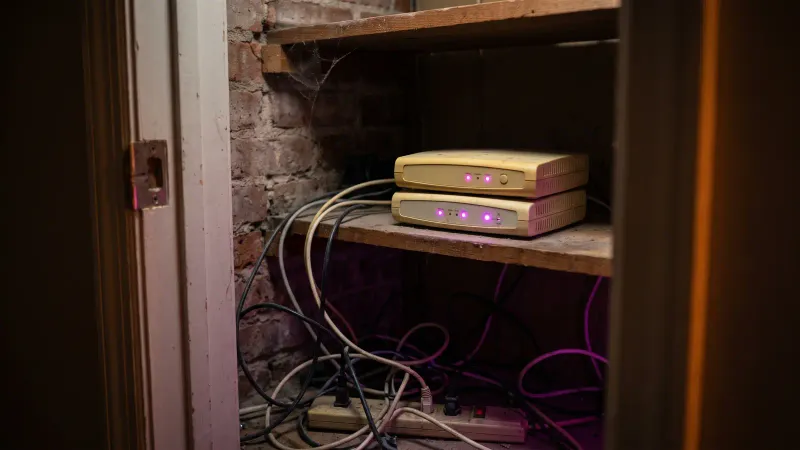
Now place that next to a small business firewall that gets no fixes at all. In May 2025 the FBI warned that "Routers dated 2010 or earlier likely no longer receive software updates issued by the manufacturer and could be compromised by cyber actors exploiting known vulnerabilities." Some, "with remote administration turned on," were taken over and rented out as proxies for crime. (FBI, Public Service Announcement I-050725-PSA)
In February 2026, CISA ordered federal agencies to remove end-of-support edge devices: inventory them within three months, retire the listed devices whose support ends by the twelve-month mark, and replace every remaining one within eighteen. (CISA BOD 26-02) The directive binds only federal agencies, but CISA, the FBI and the UK's NCSC "strongly encourage organizations to follow the guidance," and they name the devices: "load balancers, firewalls, routers, and virtual private network (VPN) gateways." (CISA, FBI and NCSC fact sheet, February 2026)
The federal government gave itself eighteen months. For a small business firewall, the same job takes an afternoon: find the model number, look up its end of support date, put it on the calendar.
How do you set up a small business firewall?
Ten steps, most of them free.
- Find every box at the edge. Modem, router, firewall, Wi-Fi access points. Write down model, firmware version and end of support date. CISA's first mitigation: "Maintain an inventory of all edge devices and their respective support timelines."
- Change the admin password. Massachusetts regulation calls for passwords "which are not vendor supplied default passwords." The FBI's advice is a unique, random password of at least 16 characters.
- Turn off remote administration from the internet. The FBI: "disable remote management/remote administration, save the change, and reboot the router."
- Update the firmware and turn on automatic updates.
- Block by default. Delete every port forward nobody can explain.
- Turn off UPnP. It lets programs open holes in the firewall on their own. NIST calls letting "untrusted applications alter a firewall's security policy" a "significant security risk."
- Split the network. Guests on their own Wi-Fi; card terminals and cameras on their own segment, away from customer files.
- Turn on the firewall in every computer, including laptops that leave the building.
- Keep the logs somewhere you will look. A log nobody reads is a diary, not a control.
- Write it down and review it. One page: what is open, why, who approved it. We suggest a review every quarter and after any change, which fits NIST's call for "ruleset reviews or tests performed periodically."
If your internet provider manages the router, some of these are their settings. Amelia, my wife and Kief Studio's co-founder and CEO, wrote a good list of questions to ask your business internet provider about security (opens in a new tab).
What does a small business firewall not do?
Owners get hurt here by trusting a firewall with jobs it was never built for. CISA: "do not be lulled into a false sense of security."
- It does not stop malware someone runs. CISA: firewalls "primarily help protect against malicious traffic, not against malicious programs."
- It does not stop a stolen password. A real login looks like an employee. Multifactor sign-in does that job.
- It cannot read what is encrypted. NIST: "Firewalls can only work effectively on traffic that they can inspect."
- It does not see traffic inside the network. NIST notes that "attacks sent from one internal host to another often do not pass through network firewalls."
- It does not protect data that lives somewhere else. Cloud email and files never pass through the office firewall.
- It does not back anything up, and it does not tell you what to do after a breach. For that, read what happens in the first 24 hours after a breach.
How do remote work and cloud apps change the small business firewall?
The office used to be the perimeter. The Bureau of Labor Statistics reports that "In March 2026, 22.6 percent of workers teleworked or worked at home for pay," and in financial activities the June 2026 rate was 52.5 percent. (BLS, April 2026; BLS, July 2026)

NIST's telework guide tells organizations to plan "based on the assumption that external environments contain hostile threats." (NIST SP 800-46 Rev. 2)
NIST's zero trust architecture grants "no implicit trust" based on network location, because once attackers get past a perimeter, "further lateral movement is unhindered." (NIST SP 800-207)
The firewall is not obsolete: NIST says "firewalls are still needed to stop the significant threats that continue to work at lower layers of network traffic." What changes is the plan around it: laptop firewalls, sign-in checks, and access rules on each cloud app. Our note on zero trust architecture covers that model, and we wrote about zero trust for Worcester medical offices specifically.
What are the 7 layers of security, and where does a firewall sit?
The lists people find do not agree, and we have not found a standards body that publishes one official list of seven. The useful idea is layered defense: several controls, so one failure is not the whole story. NIST describes firewalls through four layers of internet traffic (application, transport, network, hardware) and notes "firewall policies rarely concern themselves with the data link layer." Most rules work on addresses and ports. In a layered plan the small business firewall is the outer fence: necessary, and nowhere near enough alone.
What should a Central Massachusetts business know?
A five-person office usually runs on whatever router came with the internet service as its only small business firewall.
The state's own breach data points at the edge. A May 2026 state report counted 2,292 data breach reports in 2024. Of 1,526 with enough detail to tell how attackers got in, 727 involved an internet-facing vulnerability, which the report defines to include "internet-facing software that has not been updated" and "virtual private networks with vulnerabilities." Firewall updates came up 70 times among the 471 reports that named a fix, (OCABR and MassCyberCenter, Examining the Impact of Data Breaches in Massachusetts)
Massachusetts regulation also names the control. Under 201 CMR 17.04, for files containing personal information on an internet-connected system, "there must be reasonably up-to-date firewall protection and operating system security patches." (201 CMR 17.04, text via Cornell LII) The section applies "to the extent technically feasible," and how it applies to your business is a question for your attorney. Amelia's guide to Massachusetts WISP requirements (opens in a new tab) covers the rest.
For a free start, the FCC's Small Biz Cyber Planner builds a custom planning guide, including networks and remote access.
Frequently asked questions
Is a small business firewall really necessary?
Yes. The FCC tells small businesses to provide firewall security for the internet connection, turn on each computer's firewall, and make sure home systems used for work are protected by one too.
What does a small business firewall cost on average?
No reputable survey publishes one. The router and computer firewalls you already have cost time, not money. A business appliance adds hardware, a yearly update subscription, setup hours, periodic review and replacement when support ends.
Is my internet router enough as a small business firewall?
For a small office with nothing reachable from the internet, a well-configured, supported router is a fair start. Servers, remote access, card terminals or a need for logs call for more.
Do I still need a firewall if everything is in the cloud?
Yes, but it does less of the work. Keep the firewall on every laptop, protect the office network, and put sign-in checks and access rules on each cloud app, since the office firewall never sees that traffic.
How often should firewall rules be reviewed?
NIST calls for periodic ruleset reviews. We suggest every quarter and after any change, such as a new system, vendor or departing employee.
What happens when a firewall or router reaches end of support?
It stops getting security fixes. The FBI and CISA both warn that attackers exploit end-of-support routers and firewalls, and both recommend replacing them with supported models.
This article is general information, not legal advice. Kief Studio is not a law firm, and reading it does not create an attorney-client relationship. Laws and regulations change, so check the current text and talk with a licensed Massachusetts attorney about your situation.
Where we fit
Kief Studio is in Shrewsbury, and we work with businesses in Worcester, Westborough, Grafton and across Central Massachusetts. Managed security monitoring is ongoing watch, patching and hardening of your systems by the studio that knows how they were built. We take inventory of what runs, where, and who can reach it, keep it patched, and report what changed in plain language. Many clients keep their IT provider for laptops and help desk; we work alongside them.
When remote staff and cloud apps have outgrown the office perimeter, zero trust architecture puts identity checks and least privilege in front of each system and segments the network so one compromised account cannot reach everything, rolled out in stages so the team keeps working.
For what we host, cloud infrastructure runs on dedicated infrastructure, never shared hosting, and we harden and watch the hosts as part of managed hosting on LTFI. Security is a byproduct of good engineering. You can see how we approach security and what we do for Worcester and Shrewsbury businesses.
First conversation is free. No commitment.
Co-founder and CTO, Kief Studio