


Brian GagneCo-founder and CTO, Kief Studio
- Published
- 12 min read
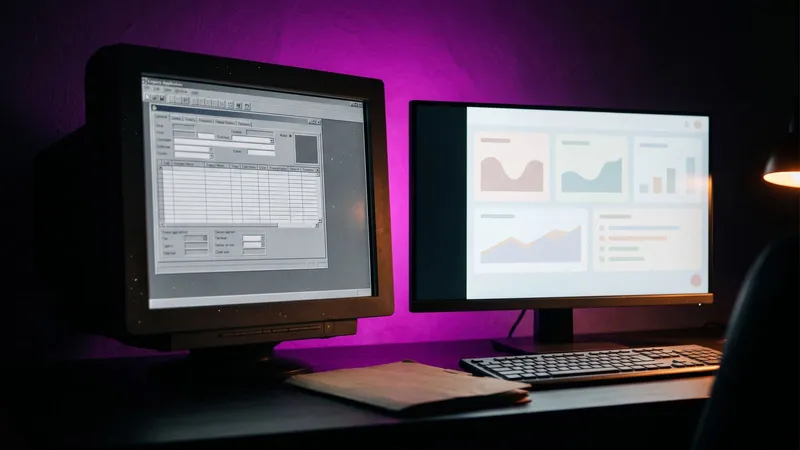
TL;DR: You can replace legacy software without stopping the business if you never bet the company on one cutover night. Write down what the old system really does, back it up and prove the backup restores, then move the work to the new system one slice at a time, with the old one still running and a tested way back.
If you need to replace legacy software at a small business, the hard part is rarely the new system. It is the old one: the database nobody wants to restart, the desktop program that only runs on one machine, the server in the closet that has not been rebooted since the last person who understood it left.
The owners who replace legacy software calmly stop asking "what should we buy?" and start asking "what does the old system actually do, and how do we move that work safely?"
How do you know old business software has become a risk?
Old is not the problem. Plenty of old software runs fine for years. The problem is old software the business depends on and nobody can fix. The signs that tell me it is time to replace legacy software:
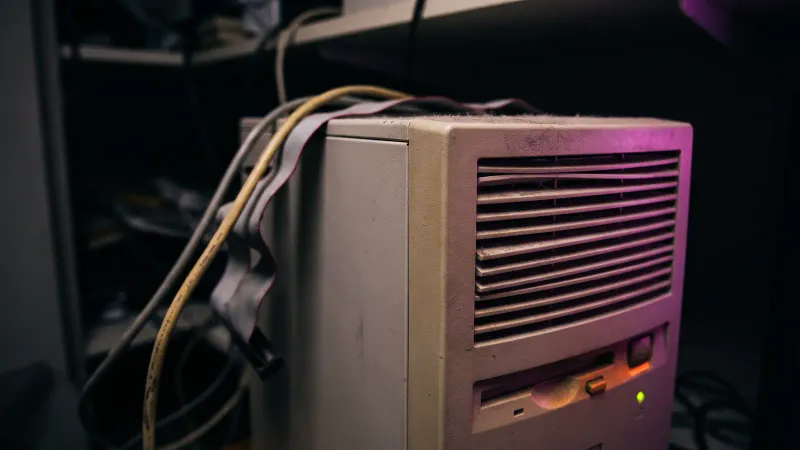
- The operating system is out of support. No more security updates are coming, ever.
- One person knows how it works. If they stopped answering the phone tomorrow, nobody could change it. My wife Amelia, Kief Studio's co-founder and CEO, wrote a clear piece on the bus factor and key person risk (opens in a new tab), and it applies to software as much as to people.
- There is no backup you have restored. A job that says "success" is not a backup until you have pulled real data back out of it.
- The vendor is gone. Closed, bought, or no longer answering tickets.
- It cannot talk to anything. Data leaves by export and copy and paste, so every report is someone's Friday afternoon.
- It runs on hardware you cannot replace. An old server, a special card, a license tied to one machine.
The federal government lives with this problem at a much larger scale, and its auditors are blunt about it. In July 2025 the U.S. Government Accountability Office found the 11 federal legacy systems most in need of modernization ranged from about 23 to 60 years old and cost about $754 million a year to operate and maintain. GAO wrote that legacy systems "often operate with outdated computer languages, unsupported hardware and software, and known cybersecurity vulnerabilities," and that two of them run on languages with "a dwindling number of people available with the skills needed to support them." (GAO-25-107795, July 2025)
Now put that next to your own office. Swap "dwindling number of people" for "Dave, who comes in on Tuesdays," and it is the same risk with a smaller budget.
Why is "it still works" not the same as "it is safe"?
Because the day support ends, the risk changes even though nothing on the screen does. NIST's guide to patch management lists the reasons a patch might not arrive, including this one: "The vendor may no longer support the vulnerable software, meaning that a patch for it will never be released because the software is at end-of-life." (NIST SP 800-40 Rev. 4, April 2022)
Every weakness found after that date stays open.
CISA, the federal cybersecurity agency, put "use of unsupported (or end-of-life) software" first on its list of bad practices for critical infrastructure, and adds that it is "especially egregious in technologies accessible from the Internet." (CISA, Bad Practices) The logic holds for a front desk computer that opens email, too.
In February 2026 CISA ordered federal agencies to replace end-of-support devices on the edge of their networks and to "plan for timely replacements, procure vendor-supported alternatives, and develop a plan for decommissioning EOS devices while minimizing disruptions to agency operations." (CISA, BOD 26-02, February 2026) That sentence is a good plan to replace legacy software at a business of any size.
Two dates matter for a lot of Central Massachusetts offices right now:
- Windows 10 reached end of support on October 14, 2025. Businesses can buy Extended Security Updates at $61 per device for the first year, and Microsoft says "the price doubles every consecutive year, for a maximum of three years." (Microsoft) That is a bridge, not a plan.
- Windows Server 2016, which still runs plenty of small office databases, reaches the end of extended support in January 2027. (Microsoft Lifecycle)
One exception. Some old computers run a machine, not a business process, and isolating them can be the right answer. The rest of this guide is about how to replace legacy software your team works in all day.
What are the ways to modernize or replace legacy software?
The industry has a pile of words for this, mostly starting with R. Microsoft's cloud guidance lists workloads being "Retired, Retained, Rehosted, Replatformed, Refactored, Rearchitected, Rebuilt, or Replaced," and AWS describes a similar set it calls the 7 Rs. (Microsoft Cloud Adoption Framework, AWS Prescriptive Guidance) In plain words:
- Rehost. Same software, unchanged, on newer supported hardware or a hosted server. Fixes the dying box, not the software.
- Replatform. Same software with small changes so it runs on something current, like a supported database version.
- Wrap. Leave the old system alone and put a safe connection around it, so new tools can read and write without touching its insides. Good for stable parts that are expensive to replace.
- Rebuild. New software that does the job the old one did, usually because it encodes rules no product on the market handles.
- Replace. Retire it and move to a product you buy or subscribe to. Read the exit terms first; Amelia's guide to vendor contract exit terms (opens in a new tab) covers what leaving will cost later.
- Retire. Some pieces do a job nobody needs anymore. Switching them off is the cheapest modernization there is.
Most real projects to replace legacy software mix them. Rehost the server this month to get off dying hardware, wrap the order database so a new portal can read it, rebuild the one screen everyone hates. The order should come from risk, not from what is fun to build. I have argued that build vs buy is the wrong question (opens in a new tab): the real choice is rent, wrap or own.
If you are weighing whether to keep your own server at all, I wrote up the real cost of running your own infrastructure in 2026 (opens in a new tab), and our note on vendor lock-in is worth five minutes before you sign anything.
What is the strangler pattern, in plain words?
Engineers call this way to replace legacy software the strangler fig pattern, after a vine that slowly grows around a tree until it can stand on its own. Microsoft's architecture guide puts it simply: "It's difficult to replace an entire complex system. Instead, you can migrate to a new system gradually and use the old system for unmigrated features." (Microsoft Azure Architecture Center)

Say a distributor in Northborough runs quotes, orders, inventory and invoices on a 15 year old system. Instead of trying to replace legacy software in all four areas at once:
- Month one: a new quoting screen that reads customers and prices from the old system. The old system does everything else.
- Month two: new orders go into the new system and flow back to the old one, so inventory and invoicing keep working.
- Month three: inventory moves, checked daily against the old counts.
- Month four: invoicing moves, and the old system is retired on a quiet Tuesday, not a scary Saturday.
The timeline is an example, not a promise. Each step is small enough to test and to undo.
How do you run the old and new systems side by side?
When you replace legacy software, running both is the safety net, if you decide a few things up front:
- One owner per kind of record. Two systems both allowed to change the same customer is how you end up with two addresses.
- A daily comparison. Record counts, dollar totals and a few spot checks from both systems every morning. Drift shows up on day two, not day ninety.
- A clear list of who uses which screen. On paper by the front desk if you have to.
- An end date. Set the day the old system goes read only, and the day it goes off.
How do you move the data without losing any?
Data is where efforts to replace legacy software quietly go wrong. The screens look right, and three months later someone notices the notes field never came over. Five rules:
- Back up first, and restore it. CISA says to "maintain offline, encrypted backups of critical data, and regularly test the availability and integrity of backups in a disaster recovery scenario." (CISA #StopRansomware Guide) The NIST Cybersecurity Framework says it in one line: "Backups of data are created, protected, maintained, and tested." (NIST CSF 2.0, February 2024) My backup verification cheat sheet (opens in a new tab) walks through checking one.
- Never overwrite the original. Migrate copies. The old data stays untouched until the end.
- Map every field. Anything with no home in the new system gets a decision, not a shrug.
- Reconcile by numbers. Customers, open orders, unpaid invoice totals, before and after, matched to the record and the cent.
- Rehearse. Run the whole migration once on a copy and time it.
Messy old data is real work of its own, the same work as our data engineering: pull, clean, match, check against the source.
What does a cutover and rollback plan look like?
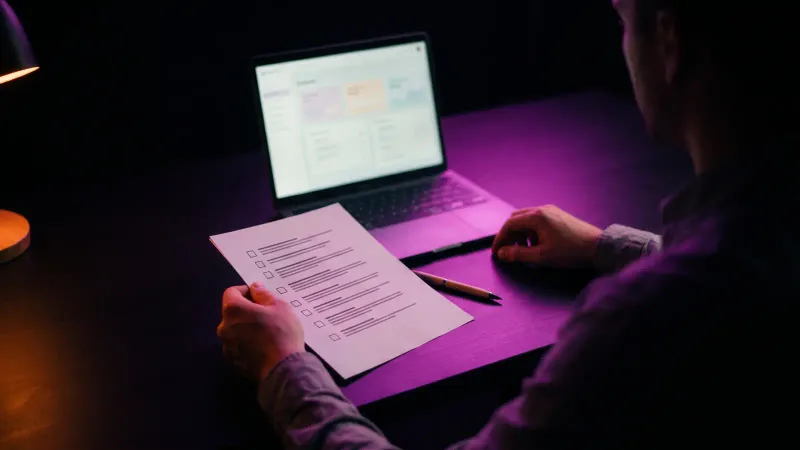
When you replace legacy software, every cutover, even a small slice, gets a one page plan before anyone touches anything:
- What moves. One sentence. "New orders move to the new system."
- When. A low traffic day and time, and who is on hand.
- How we know it worked. The three numbers we will check, and what they should be.
- The go or no go time. If the checks have not passed by then, we stop.
- How we go back. The exact steps to send work back to the old system, practiced beforehand. A rollback you have never run is a hope.
- How much we can lose. Decide in advance how much downtime and recent data you can accept. Our note on recovery time and recovery point objectives explains both.
GAO's checklist for federal modernization plans is worth stealing when you replace legacy software: at a minimum "(1) milestones, (2) a description of the work, and (3) details regarding disposition of the legacy system." Without documented plans, it warns, projects "will have an increased likelihood of cost overruns, schedule delays, and overall project failure." (GAO-25-107795) Disposition means what happens to the old system at the end. Write that down too.
What does it cost to replace legacy software for a small business?
There is no honest published price range for this; the numbers online come from firms selling the work. Here is what drives the cost to replace legacy software instead, so you can compare quotes:
- Undocumented behavior. The more rules live only in the code or one person's head, the more time goes into finding them.
- Messy data. Duplicates, free text where dates belong, three spellings of one customer.
- Connections. Each system it talks to is a piece of work and a thing to test.
- The approach per piece. Rehosting is cheap; rebuilding is not. Mixing them well is where the savings are.
- Who runs it afterward. A new system nobody maintains becomes the next legacy system.
Now the "can we just keep it?" side. The federal government spends more than $100 billion a year on IT and cyber-related investments, and GAO says agencies typically report about 80 percent of that goes to "operations and maintenance of existing IT." (GAO-25-107795) Keeping old things alive is where the money goes, at every size.
If you are thinking of hiring someone in house to replace legacy software, the Bureau of Labor Statistics puts the median annual wage for software developers in the Worcester metro area at $146,950, as of May 2025. (BLS OEWS, Worcester, MA) That is a full salary for a project that, for most small businesses, has a beginning and an end.
What should a Worcester business know before it decides to replace legacy software?
A small business rarely has an IT department, which is exactly where one person knowing the old system becomes the biggest risk.
Massachusetts adds a reason to pay attention. The state's data security regulation says that for files containing personal information on a system connected to the internet, "there must be reasonably up-to-date firewall protection and operating system security patches." (201 CMR 17.04(6)) An operating system that no longer gets patches makes that hard to meet. If you hold customer or patient records, put out of support machines at the top of the list and ask your counsel what the rule means for you.
Three things to do this month, before you replace legacy software:
- List every computer and server, what runs on it, and its operating system. Flag Windows 10 without paid updates and Windows Server 2016.
- For each important system, write the name of the one person who knows it. If one name shows up three times, that is your first project.
- Restore one backup of your most important system to a spare machine and open the data. If you cannot, fix that first.
Frequently asked questions
How do I know when to replace legacy software?
Age alone is not the test. Worry when security updates have stopped, only one person knows how it works, you have never restored a backup, or the vendor is gone.
Do I have to replace legacy software all at once?
No, and it is usually safer not to. You can move the work to a new system one piece at a time while the old one keeps running, which engineers call the strangler fig pattern.
What is the difference between rehosting and replacing software?
Rehosting moves the same software, unchanged, onto newer supported hardware or a hosted server. Replacing retires the old software and moves the work to a different product or a new build.
How do I move data to a new system without losing any?
Back up the original and test the restore, migrate copies rather than the original, map every field, and match record counts and dollar totals before and after.
What is a rollback plan when you replace legacy software?
It is the written, tested set of steps for sending work back to the old system if a cutover fails. You decide in advance when you will stop and how much downtime and data loss you can accept.
Is it a problem to keep a Windows 10 computer in a Massachusetts office?
Windows 10 support ended on October 14, 2025, unless you pay for extended updates. Massachusetts data security rules call for reasonably up-to-date security patches on internet-connected systems holding personal information.
Where we fit
Kief Studio is in Shrewsbury, and we do legacy system modernization for businesses in Worcester, Shrewsbury, Westborough, Grafton and across Central Massachusetts. It is for teams on an aging database, an unsupported desktop application, or an on-premises server that the business cannot afford to lose for a day.
We watch the old system and write down what it really does, including the parts nobody documented. We wrap what has to stay for now, build the replacement in slices, and move traffic one piece at a time. We migrate the data with checks against the original, then retire the old system, so there is never one risky cutover night. What we will not do is a full rewrite over a weekend, or a big-bang switch with no way back.
When the new system needs a home, we run it on dedicated infrastructure with managed hosting and backups that are tested by restoring them. No shared hosting. See our work for Worcester businesses and Shrewsbury businesses.
First conversation is free. No commitment.
Co-founder and CTO, Kief Studio