


Brian GagneCo-founder and CTO, Kief Studio
- Published
- 13 min read

TL;DR: QuickBooks is accounting software, and an ERP is one system for inventory, orders, money and people. You have outgrown QuickBooks when the real work lives in spreadsheets around it, not when revenue hits a number. Fix the cheapest gap first: connect what you have, and only if you still need the move from QuickBooks to ERP, choose packaged or custom and migrate in stages.
When you outgrow QuickBooks, the jump from QuickBooks to ERP is the step everyone reaches for, and it is often the wrong first move. Most Massachusetts owners who ask me about it are not unhappy with their accounting. They are unhappy with everything around it: the inventory spreadsheet, the order tracker, the approval that lives in someone's inbox, and the Friday afternoon spent stitching it all into a report. Moving from QuickBooks to ERP is one answer to that, and the most expensive one to get wrong. Here is how I would think it through.
Is QuickBooks an ERP?
No. QuickBooks is accounting software. It is very good at the ledger: invoices, bills, bank feeds, payroll, the reports your accountant needs. It was not built to run the operation that produces those numbers.
An ERP, short for enterprise resource planning, is built for exactly that. The Government Accountability Office describes an ERP system as software "consisting of multiple, integrated functional modules that perform a variety of business-related tasks such as general ledger accounting, payroll, and supply chain management." (GAO, March 2012)
The key word there is integrated. Thomas Davenport, then a professor at Boston University, put it plainly in the Harvard Business Review back when these systems first spread: "At the heart of an enterprise system is a central database that draws data from and feeds data into a series of applications supporting diverse company functions." (Davenport, Harvard Business Review, 1998)
So the real QuickBooks to ERP comparison is one ledger plus a pile of spreadsheets against one database that the ledger, the warehouse and the sales desk all read from. When an order ships in an ERP, inventory and the books move in the same step. In a QuickBooks shop, somebody usually types it twice.
What are the signs you have outgrown QuickBooks?
Revenue is a poor signal. Look at how the work moves instead. These are the signs worth taking seriously:
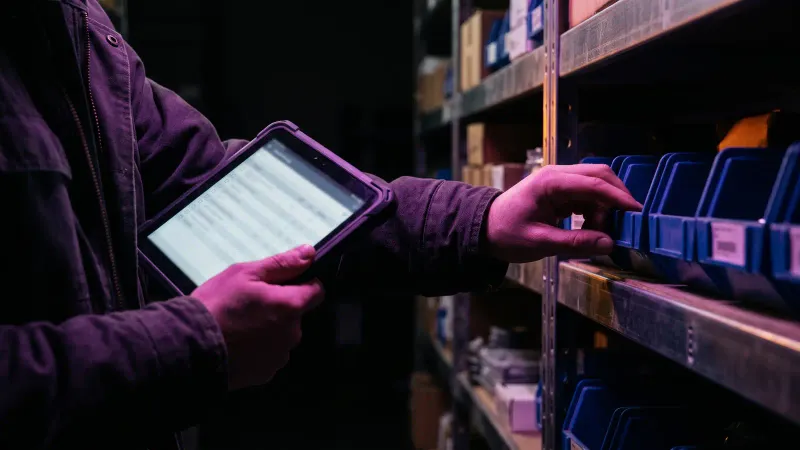
- Inventory lives in a spreadsheet. The count in QuickBooks and the count on the shelf disagree, and the spreadsheet is the one people trust.
- You have more than one location. A second warehouse, a second storefront or a truck that carries stock. Each location adds a place where counts drift.
- You make things in steps. Raw material becomes a part, the part becomes a product, and the cost of each step matters for pricing. Accounting software records the result, not the steps.
- Approvals happen in email. Purchase orders, discounts or returns need a yes from someone, and the only record of that yes is a thread.
- Reports are built by hand. Margin by product, by customer or by location takes an export, a spreadsheet and an afternoon, and the answer is a week old when it arrives.
- You are hitting the plan's walls. Intuit lists QuickBooks Online Plus at 5 users, a maximum of 250 accounts in the chart of accounts, and "40 combined classes and locations." Advanced raises that to 25 users with unlimited accounts, classes and locations. (Intuit, QuickBooks Online usage limits)
Two or more of those, and a move from QuickBooks to ERP is worth a real look. Just one is usually a connection problem.
The spreadsheet sign deserves its own warning, because spreadsheets fail quietly. In 2013 a doctoral student at UMass Amherst, Thomas Herndon, tried to reproduce a famous economics paper and found that a coding error in the authors' working spreadsheet left out five countries, Australia, Austria, Belgium, Canada and Denmark, from every part of the analysis. (Herndon, Ash and Pollin, PERI at UMass Amherst, 2013) That spreadsheet belonged to two prominent economists, behind a published paper with a world of readers. Your inventory sheet has one reader, and that person is busy.
Amelia, my wife and Kief Studio's co-founder and CEO, has written about why disconnected data costs more than missing data. Missing data, you know you lack. Disconnected data looks complete and is wrong in two places.
Why don't accountants like QuickBooks?
Here is my honest read, as an opinion and not a survey. In my experience the complaint is rarely about the software. It is about the file.
QuickBooks is easy to start, which means a lot of company files were set up by whoever was available that week. Categories get invented on the fly. Inventory gets adjusted to match the shelf instead of explained. Customers end up in the system three times with three spellings. By year end the accountant is cleaning up the file before the real work starts.
Underneath that is a second complaint. When a business runs operations inside its accounting system, the ledger fills with entries that exist only to track work. A cleanup fixes the first problem. Moving the operational work somewhere built for it fixes the second, and that is where a move from QuickBooks to ERP, or something smaller, comes in.
What is a good alternative to QuickBooks for a small business?
I am not going to name products, because the right answer depends on your process, not on a ranking. There are four categories, and for most small businesses the cheapest one that solves the problem wins.
- Keep QuickBooks and clean it up. A new chart of accounts, consistent categories and a monthly close routine. If your pain is the file, this is the whole answer.
- Keep QuickBooks and connect an operations tool to it. Inventory, orders or job tracking live in software built for them, and the totals post to the ledger automatically. This works when the tools offer an authorized API and the connection is watched, so a failed sync gets noticed. We wrote a plain explanation of how API integration works and when it is enough.
- Move to a packaged ERP. One vendor's system for finance, inventory, purchasing and often manufacturing, configured to your business. Strong when your process looks like the process the package was built around.
- Build a custom or integrated ERP. One system shaped around how your operation already runs, often keeping the accounting package you like and connecting it. Worth it when the workarounds cost more than the build.
At least two of the four keep QuickBooks. Often what needs replacing is the spreadsheets around it, not a full move from QuickBooks to ERP.
ERP vs QuickBooks for a small business: packaged or custom?
A packaged ERP comes with its own idea of how a business should run. Davenport warned that an enterprise system "imposes its own logic on a company's strategy, organization, and culture," and because major modifications are impractical, "most companies installing enterprise systems will need to adapt or even completely rework their processes to fit the requirements of the system." (Davenport, Harvard Business Review, 1998)

That is fine when your process is ordinary, and changing a clumsy process to match a well-designed package can be a gift. It is not fine when the way you work is the reason customers pick you. If your team turns custom orders around fast by skipping steps a package would force, the package takes away your edge.
Here is the rough test I use for QuickBooks to ERP decisions:
- A package probably fits if your team could describe your process in the vendor's own words, your industry is well served by that category of software, and you are willing to change habits to match it.
- Custom probably fits if you have tried packages and your team rebuilt the spreadsheets around them, your process is a real advantage, or you work in a regulated industry with record rules that packages handle poorly.
- Integration probably fits first if two or three good tools already do most of the work and the real problem is that they do not talk.
One Massachusetts detail to check before comparing QuickBooks to ERP costs: Amelia covered Massachusetts sales tax on SaaS versus custom software, and your accountant should confirm how it applies to you.
For more on QuickBooks to ERP choices, our knowledge base covers ERP systems and the vendor lock-in question that comes with any system you cannot leave easily.
What can go wrong when you move from QuickBooks to ERP?
The best-documented ERP failures are public projects, because the government publishes its audits. They are far bigger than anything a Worcester business will run, but the causes GAO names are ones a small QuickBooks to ERP project faces too.
The U.S. Air Force's Expeditionary Combat Support System was meant to replace 240 legacy systems. (GAO, March 2012) The Air Force canceled it in November 2012 after it "racked up $1.03 billion in costs since 2005" and "has not yielded any significant military capability." Finishing would have taken about $1.1 billion more for roughly a quarter of the original scope. (Computerworld, November 2012; IEEE Spectrum)
That is the extreme case. In a 2010 review of nine Defense Department ERP efforts, GAO found, based on the department's own data, that six had schedule delays of 2 to 12 years and five had cost increases ranging from $530 million to $2.4 billion. It also noted that the delays forced the department to keep paying for the old systems longer than planned. (GAO, October 2010)
One line in that report is the lesson for a small business moving from QuickBooks to ERP. The Navy's ERP slipped two years "in part, because of problems experienced in data conversion and adopting new business procedures." (GAO, October 2010) The trouble was in the data and the people.
For a 20-person company going from QuickBooks to ERP, the risks look like this:
- Dirty data moves with you. Three spellings of one customer become three customers in the new system, now with history attached.
- Two systems at once. A delay means paying for both, and your team keeps both current by hand.
- Undocumented rules. A spreadsheet formula quietly handled a special case, and nobody wrote it down.
- A cutover with no way back. Everything switches Monday; on Tuesday you find the problem.
- History you can no longer read. The old file sits on a retired PC in a closet.
That last one matters. The IRS says to keep records for 3 years in general and employment tax records for at least 4 years after the tax is due or paid, whichever is later. (IRS, How long should I keep records?) State rules can add to that, so confirm the right period with your accountant. MyRHC keeps a plain reference on data retention and secure destruction, and before any move from QuickBooks to ERP, take a full backup you have actually test restored. If you run your own database, HxHippy has a database backup script worth reading. I wrote up how long Massachusetts businesses keep which records, and what happens to your data when you cancel software, QuickBooks included.
The safer QuickBooks to ERP pattern is boring and it works. Move in stages, one function at a time. Run old and new side by side and check every migrated total against the original before anything is switched off.
Which Central Massachusetts businesses hit this wall first?
In my experience the businesses that outgrow accounting software first hold stock or make things. Central Massachusetts has a lot of both.

Worcester County had 805 manufacturing establishments in 2023, employing 35,163 people, about 11% of the 319,255 employees Census counted at businesses in the county. Of those manufacturers, 733, or 91%, had fewer than 100 employees. The county also had 783 wholesale trade establishments, and 727 of them, 93%, had fewer than 50 employees. (U.S. Census Bureau, County Business Patterns 2023)
Put those numbers next to the signs above. A machine shop in Leominster tracking work orders in a spreadsheet, or a distributor in Clinton with two warehouses and one QuickBooks file: these are examples, not clients, but they are the shape of business this county is full of. Big enough to feel the limits, small enough that a failed move from QuickBooks to ERP would hurt. Whether you are in Worcester, Shrewsbury or nearby, you do not need a Defense Department budget. You need a clear picture of how work moves today and the discipline to change one piece at a time.
What should you ask before moving from QuickBooks to ERP?
Whether you talk to a vendor, an implementer or us, ask these and write down the answers:
- What problem are we solving? Name the three things that cost the most time or mistakes today. If an option does not fix those, the feature list does not matter.
- Can we fix it by connecting what we have? Ask for the smallest change that removes the spreadsheet.
- How much of our process changes to fit the system? Get it in writing, step by step, and show it to the people who do the work.
- How does our data move, and how is it checked? Ask how many stages, how totals are reconciled against the old system, and what happens to history.
- How long do we run both systems? Budget for the overlap. It is almost always longer than the plan.
- What does it connect to? Accounting, storefront, shipping, payroll. Ask whether each connection uses an authorized API and who watches it.
- Who owns the data, and how do we leave? Ask for the export format, test it on a sample before you sign, and confirm old records stay readable.
If the reporting is the real pain, start there instead of a move from QuickBooks to ERP. The answer may be a clean data layer under the tools you have, not a new system on top of them. I wrote about the client who wanted a dashboard but actually wanted a decision, which is the same lesson from another angle.
Frequently asked questions
Is QuickBooks an ERP?
No. QuickBooks is accounting software that handles the ledger, invoices, bills and payroll. An ERP is one integrated system with a shared database for accounting plus inventory, orders, purchasing and often manufacturing.
How do I know if my business has outgrown QuickBooks?
Look at the work around it: inventory in spreadsheets, more than one location, products made in steps, approvals in email and reports built by hand. Revenue alone is a poor signal for the move from QuickBooks to ERP.
What is a good alternative to QuickBooks for a small business?
Often it is not a replacement. A cleanup, or connecting an inventory or order tool to QuickBooks, solves many problems. Moving from QuickBooks to ERP, packaged or custom, makes sense when several signs show up together.
Why don't accountants like QuickBooks?
In our experience the complaint is usually about messy company files: rushed setup, made-up categories and operational entries in the ledger that make the books slow to review.
Should a small business choose a packaged ERP or a custom one?
A package fits when your process matches how it was built and you are willing to adapt. Custom fits when your process is an advantage or workarounds cost more than the build.
What is the biggest risk in moving from QuickBooks to ERP?
Data and process, not software. GAO traced a two-year delay in the Navy's ERP partly to data conversion and new business procedures. Migrate in stages and check totals against the old system.
Where we fit
Kief Studio is in Shrewsbury, and this is the work our custom ERP practice does for operators across Central Massachusetts: one system for inventory, orders, money and people, built around how your operation already runs. We map the work as it actually moves, build the system with roles and an audit trail, connect the tools you keep, such as accounting, storefronts and reporting, and host it on dedicated infrastructure.
If a package fits your process, we will say so rather than build one. If the real problem is that your tools do not talk, API integration on authorized APIs may be the smaller fix. When it is time to move from QuickBooks to ERP, we move your data in stages and check it against the old records before anything is switched off, so history stays intact. The system and all of its data stay yours.
First conversation is free. No commitment.
Co-founder and CTO, Kief Studio