


Brian GagneCo-founder and CTO, Kief Studio
- Published
- Updated
- 12 min read
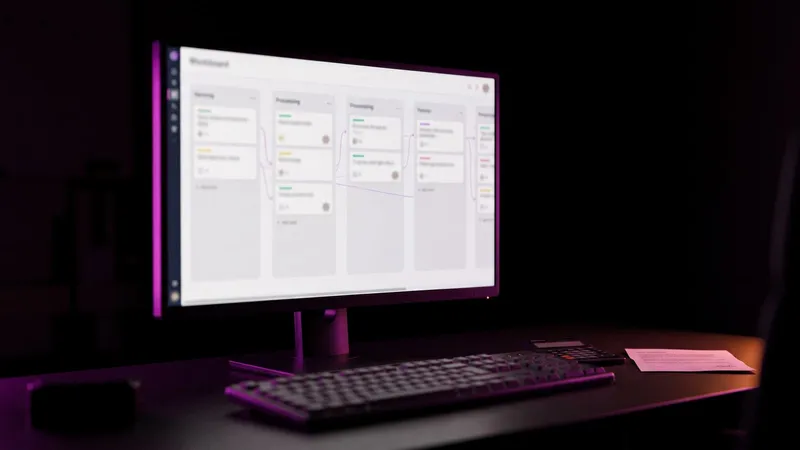
TL;DR: A multi-agent AI workflow splits one job across several AI agents, each with one task, a fixed handoff, a point where it stops and only the tools it needs. Checks sit between steps, every action is logged, and a person makes the decisions that move money or reach a customer. It beats one chatbot on multi-step work, not on everything.
A multi-agent AI workflow is what you build when one chatbot keeps getting the third step wrong. Instead of asking a single AI to read the request, price the job, write the quote and send the invoice, you give each step to its own agent, put a check between them, and keep a person on the calls that matter.
More moving parts, yes. But each part is small enough to test, fix and trust. Below is how multi-agent AI works in practice, where it breaks, and a worked example for a Central Massachusetts contractor.
What is a multi-agent AI workflow?
Start with the federal definition of multi-agent AI. NIST describes AI agent systems as "capable of planning and taking autonomous actions that impact real-world systems or environments," and notes they "may be more expansive, containing multiple sub-agents with software that orchestrates their interactions." (NIST, Federal Register, January 2026)
Anthropic draws a useful line: workflows are "systems where LLMs and tools are orchestrated through predefined code paths," while agents direct their own process and tool use. (Anthropic, December 2024) For a small business, the safest version of multi-agent AI is a fixed route you can draw on a whiteboard, with an agent doing the judgment work inside each box. On the agentic hype ladder (opens in a new tab) I wrote about, that is rung three, the workflow.
Why does one chatbot doing every step underperform?
You would not hand a new hire the inbox, the price book, the calendar and the accounting login on day one and say "handle it." You would teach one job, check it, then add the next.
One model doing every step tends to do each one a little worse, and when something goes wrong you cannot tell which step broke.
Then there is arithmetic. If each of five independent steps is right 95% of the time, all five are right only about 77% of the time. An illustration, not a measurement, but it is why every step needs its own check.
Now place a second fact next to it. Splitting the work up with multi-agent AI does not fix this by itself. Researchers at UC Berkeley studied seven popular open-source multi-agent systems and found failure rates from 41% to 86.7% on the tasks they tested. They sorted what went wrong into 14 failure modes in three groups: how the system was designed, how the agents worked together, and how the work was checked. (Cemri et al., Why Do Multi-Agent LLM Systems Fail?, NeurIPS 2025)
So the answer to making multi-agent AI work is structure, not more agents: one task per agent, a clear handoff, a stop condition and a check.
When does multi-agent AI help, and when does it hurt?
The big AI labs have published on this, and they agree more than you might expect.
- It helps when the work splits into independent pieces. In a controlled study of 180 agent configurations, Google Research found agents under one coordinator improved performance by 80.9% over a single agent on a financial task that split cleanly into parts. (Google Research, January 2026)
- It hurts when every step depends on the last. On a planning task where each step had to follow strictly from the previous one, "every multi-agent variant we tested degraded performance by 39-70%." (Same Google Research study.)
- It costs more to run. Anthropic reported that its multi-agent research system beat a single agent by 90.2% on its internal research test, and also that multi-agent systems "use about 15× more tokens than chats." (Anthropic, June 2025)
- Start simple anyway. OpenAI's guide for building agents says "Our general recommendation is to maximize a single agent's capabilities first." (OpenAI, A practical guide to building agents) Anthropic says the same thing in different words, recommending "finding the simplest solution possible, and only increasing complexity when needed."
My read for a small business: if one well-built automation does the job, build that. Reach for multi-agent AI when the job has distinct steps with their own rules, like intake, pricing and billing, and a mistake in one step is expensive to carry into the next.
You can keep the model bill in proportion by routing easy steps to smaller models. Qurtoo, our free prompt engineering resource, has a write-up of the supervisor-worker agent pattern (opens in a new tab): a stronger model plans, cheaper models do the routine extraction and drafting.
How do you split a job into agents with one task each?
Grab a whiteboard and the person who does the job today. Then do this, in order:

- Write every step as a verb and a noun. "Read request." "Price job." "Draft quote." "Build invoice." If a step needs two verbs, it is two steps.
- Mark each step as rules or judgment. Adding tax or checking a part number is a rule, and plain code does it better and cheaper than any AI. Reading a messy email is judgment. That is where an agent earns its keep.
- Mark each step as reversible or not. A draft can be thrown away. A sent email, a charged card or a deleted record cannot. Irreversible steps get a person.
- Write the input and output for every step. A short list of fields: name, address, equipment, problem, urgency. That list becomes the handoff.
- Give each judgment step to one agent. One task, one set of instructions, one set of tools.
Keep the count low. Twelve agents for one small business process means the process needs simplifying first.
What are handoffs and stop conditions?
In multi-agent AI, a handoff is how one agent passes work to the next. The safe version is a filled-in form, not a conversation. Agent one fills the fields, code checks them, then agent two starts.
A stop condition is how an agent knows it is done, or stuck. In the Berkeley study, two of the most common failures were an agent repeating a step it had already done (15.7% of labeled failures) and an agent not recognizing the task was finished (12.4%). (Cemri et al.)
Anthropic notes "it's also common to include stopping conditions (such as a maximum number of iterations) to maintain control." OpenAI's guide says to "Set limits on agent retries or actions" and hand the work to a person when the agent passes them. For resuming a run that stopped partway, I wrote about how I built durable execution with SQLite and a for loop (opens in a new tab).
In practice, every agent gets three ways to stop:
- Done: every output field is filled and passed its check.
- Stuck: it hit its retry limit, say two attempts, and hands the case to a person.
- Out of scope: the input is not its kind of work, so a person gets it instead of a guess.
Why do you need checks between steps?
Because agents believe each other. If the intake agent misreads "two units" as "one unit," the pricing agent will happily price one unit, and the quote will look perfect.

OWASP's Top 10 for Agentic Applications lists this as a named risk, Cascading Failures: a single fault "propagates across autonomous agents, compounding into system-wide harm." (OWASP, Top 10 for Agentic Applications 2026)
The Google study measured how much central checking helps. Agents working independently amplified errors 17.2 times, while a setup with a central coordinator "contained this amplification to just 4.4x," because the coordinator acted as "a 'validation bottleneck,' catching errors before they propagate." (Google Research) The Berkeley taxonomy found the same weak spot from the other side: missing, incomplete or incorrect verification were each common failure modes.
Good checks in multi-agent AI are boring and specific:
- Every required field is present and in the right format.
- Every line item on a quote exists in your price book.
- The math adds up, tax included.
- The total is within a range you set for that kind of job.
- Nothing in the output was invented: names, addresses and model numbers match the source.
Write the rules in code wherever you can. Use a second model as a reviewer only for the judgment calls code cannot make. We call these quality gates, and they are the difference between a workflow you watch and one you trust.
What tools and permissions should each agent get?
Only what its step needs. OWASP calls this Least Agency, its "advice to organizations to avoid unnecessary autonomy," and recommends per-tool least-privilege profiles, for example "read-only queries for databases, no send/delete rights for email summarizers." (OWASP)
Splitting the work into multi-agent AI makes this easier. A chatbot that does everything needs access to everything. Separate agents each get a short list:
- The intake agent reads the inbox. It cannot send.
- The pricing agent reads the price book. It cannot change it.
- The billing agent creates draft invoices. It cannot send them, issue refunds or touch bank details.
- Each agent has its own login, so you can see which one did what and switch one off without stopping the rest.
Massachusetts already has this idea in writing. The state's data security regulation requires businesses that hold residents' personal information to "restrict access to records and files containing personal information to those who need such information to perform their job duties." (201 CMR 17.04, via Cornell LII) That rule was written with people in mind. Holding agents that touch customer records to the same standard is our view, and plain common sense.
How the tools are wired matters too. I wrote about why every tool we ship has an MCP server (opens in a new tab), and our note on tool orchestration covers the setup.
What should a multi-agent AI workflow log?
Everything an agent does, readable by a person later. OWASP's guidance on cascading failures calls for recording "all inter-agent messages, policy decisions, and execution outcomes" in time-stamped logs, so you can trace what happened and roll it back.
For a small business, a useful log line answers six questions:
- Which agent acted, and when?
- What did it receive?
- Which tools did it call, with what inputs?
- What did it produce?
- Which checks passed or failed?
- Who approved it, if a person had to?
When a customer calls about a strange invoice, you find the answer in two minutes. The log also shows which step fails most, which is where your next hour of work goes.
Where does a person stay in the loop with multi-agent AI?
On decisions and exceptions. OpenAI's guide names two triggers for handing work to a person: when an agent passes its failure limits, and for actions that are "sensitive, irreversible, or have high stakes," such as "canceling user orders, authorizing large refunds, or making payments." (OpenAI)
In practice, a person approves anything that:
- sends a price or a promise to a customer,
- moves money, issues a refund or changes payment details,
- changes a record your accountant relies on,
- deletes anything.
One warning from OWASP worth taking seriously: human oversight weakens after repeated success, and "bulk approvals" let unchecked changes spread. If your approver is clicking yes forty times in a row without reading, the approval step is decoration. Keep approvals few, and show exactly what changed. More on that balance in automate the boring stuff, keep the human stuff human, and our note on agentic security goes deeper on the risks.
A worked example: quote to invoice for a Central MA contractor
This is a hypothetical, but a common shape for multi-agent AI. Worcester County had 328 plumbing, heating and air conditioning contractor establishments in 2023, and 289 of them, about 88%, had fewer than 20 employees. (U.S. Census Bureau, County Business Patterns 2023)

Picture an HVAC company in Charlton that gets requests by web form, email and voicemail. A multi-agent AI workflow could carry a job like this:
- Intake agent. Reads the request or voicemail transcript and fills the fixed form. Tools: read the inbox, create a draft record. Stops when the form is complete, or drafts a question about the missing field for a person to send.
- Check. Code confirms the address is in the service area and the customer is not a duplicate.
- Scheduling agent. Proposes three site visit times from the calendar. Tools: read the calendar, place a tentative hold. It cannot confirm. The office manager confirms with one click.
- Quote agent. After the visit, turns the technician's notes into a draft quote from the price book. Tools: read the price book and the job record. Stops if any needed item is not in the price book.
- Check. Code verifies every line item and price against the price book, recomputes the math and tax, and flags any quote outside the normal range for that job type.
- Person. The owner reviews and approves the quote. Only then does it go to the customer.
- Invoice agent. When the technician marks the job complete, builds a draft invoice from the accepted quote and any signed change orders. Tools: create a draft in the accounting system. It cannot send, refund or edit customer payment details.
- Check and person. If the invoice differs from the accepted quote by more than a threshold the owner sets, it goes to the owner. Otherwise the bookkeeper sends it.
Every step writes to the log. People make three decisions: confirm the visit, approve the quote, send the invoice. The agents do the reading, typing and matching in between. That is the point of multi-agent AI: if the quote agent starts slipping, you fix the quote agent and nothing else changes. The same shape fits a dental office's intake in Worcester or a manufacturer's purchase orders.
Frequently asked questions
What is a multi-agent AI workflow?
One job split across several AI agents, each with one task, a fixed handoff, a point where it stops, and checks between steps. NIST describes such systems as sub-agents with software that orchestrates their interactions.
Is multi-agent AI better than one AI assistant?
For multi-step work with distinct rules, usually, because each step can be tested and fixed on its own. On strictly sequential tasks, Google Research found extra agents made results worse.
Why do multi-agent AI systems fail?
UC Berkeley researchers grouped the failures into poor system design, agents not working together, and weak checking, such as repeated steps and not knowing when the task was done.
Does multi-agent AI cost more to run?
Usually. Anthropic reported its multi-agent research system used about 15 times the tokens of a chat. Smaller models for easy steps and plain code for rule checks keep that in proportion.
What permissions should an AI agent have?
Only the tools and data its step needs. OWASP recommends per-tool least-privilege profiles, such as read-only database access and no send or delete rights for an agent that only summarizes email.
Which decisions should a person make?
Anything sensitive, irreversible or high stakes: prices or promises to customers, payments, refunds, financial records and deletions. OpenAI's agent guide names refunds and payments as examples.
Where we fit
This is the work our multi-agent AI workflows service does. Many specialists, one pipeline, not one chatbot doing everything. We break the job into steps and decide which ones an agent should own, give each agent one task, the tools it needs and a stop condition, and put checks between agents so mistakes are caught before they move on.
Each agent gets only the tools and data its step needs, and every action it takes is logged so you can see what it did. A person stays in the loop for decisions and exceptions. The workflow runs on LTFI (opens in a new tab), which we host and operate for you, so nothing is installed on your side. If one well-built automation does the job, we will build that instead.
Kief Studio is in Shrewsbury and works with businesses in Worcester, Auburn and across Central Massachusetts. See how we approach automation.
First conversation is free. No commitment.
Co-founder and CTO, Kief Studio