


Brian GagneCo-founder and CTO, Kief Studio
- Published
- Updated
- 10 min read

TL;DR: A workforce gap does not close by asking six people to do the work of eight. Automation helps a short-staffed Massachusetts business by taking the typing, chasing and copying off your best people, so the hours you do have go to customers. Start with one measured task, keep a person on every judgment call, and use state training money to bring the team along.
If you run a small business in Central Massachusetts, you probably know the workforce gap by feel before you know it by number. The schedule has holes. The same three people cover them. Overtime creeps up, the phone goes to voicemail at lunch, and the job posting you ran last month brought in two applicants, neither of whom could do the work.
We first wrote this note in 2025. I have updated it with current numbers and taken out claims we could not source. What has not changed is the advice: automation will not hire anyone for you, but it can stop the workforce gap from eating the people you already have.
How big is the workforce gap for small businesses right now?

Big enough that it is still the top complaint. In its September 2026 survey, the National Federation of Independent Business found that 32% of small business owners "reported job openings they could not fill in the current period," which it called "8 points above the historical average." Forty-five percent of owners reported few or no qualified applicants for the jobs they were trying to fill. (NFIB Jobs Report, September 2026 (opens in a new tab))
The same report found that 26% of owners named "labor quality or availability" as their single most important problem, 14 points above the historical average, while only 6% named labor costs. Read those two numbers side by side. The workforce gap is mostly about finding people who can do the job, not about what you pay them.
Why the workforce gap hits a small shop harder
Worcester County had 19,181 business establishments with employees in 2023, and 10,268 of them had fewer than five people. (U.S. Census Bureau, County Business Patterns 2023 (opens in a new tab)) In a company of five, one open seat is 20% of the team. There is no bench. The owner fills the gap, usually at night, usually with paperwork.
That is where the workforce gap does its real damage. The skilled person you finally kept is now doing data entry, chasing signatures and copying numbers between two systems that never learned to talk. You are paying for expertise and buying clerical work.
What does automation actually do about a workforce gap?

It moves routine work off people so the hours you have go further. It does not replace the person who knows your customers, and you should be wary of anyone who sells it that way.
The work that should not need a person
Look for tasks with three traits: they repeat, they follow a rule, and a mistake is easy to catch. Typing the same customer details into two systems. Sending the appointment reminder. Filing the signed form in the right folder. Building the Monday report from three spreadsheets. None of that needs judgment, and all of it eats hours that a team living with a workforce gap does not have.
Where people still matter
The upset customer, the quote that needs a second look, the new hire who needs someone to show them the ropes. Keep those with people. Good AI implementation puts a person at every point where a wrong answer would cost a customer or break a rule, and lets the system do the rest.
There is real evidence that this split works. A study of about 5,000 customer support agents found that an AI assistant raised productivity by nearly 14% on average, "with 35 percent improvements for the lowest skilled and least experienced workers." (National Bureau of Economic Research (opens in a new tab)) That last part matters for the workforce gap. If you cannot hire experience, a tool that helps a newer person work like a seasoned one is worth more than another job posting.
Which tasks close the workforce gap first?

Start where the hours are. In most small businesses I see, the workforce gap shows up in three places, and each has work a system can take over.
Paperwork and data entry
Pulling details out of emails, PDFs and web forms and putting them where they belong is the classic first win. So is filing and routing documents. The test is simple: if two people would type the same thing the same way, a system can do it, and a person can check the exceptions.
Customer communication
Appointment reminders, order updates, "we received your request" replies and follow-ups can run on their own. Routing an incoming question to the right person, with the customer's history attached, saves the back-and-forth that eats a front desk. A self-service page that answers the ten most common questions handles the calls that never needed a person.
Scheduling, inventory and handoffs
Reorder points that trigger a purchase request, a shift schedule built from demand and availability, and a job that moves to the next person when the last step is done. These are the quiet handoffs that fall through when a workforce gap leaves the team thin. Connecting them is mostly API integration work: getting the tools you already pay for to share data instead of having a person carry it.
What could closing the workforce gap look like in Central Massachusetts?

Here are three hypotheticals. They are not client stories, and the numbers you would see depend on your own baseline.
A Worcester County medical practice
A family practice has a workforce gap of two people at the front desk. Patients wait, staff stay late, and intake forms pile up. Digital intake, automatic reminders and forms that land in the right chart would take a large share of the clerical load off the desk.
The catch is patient data. Under HIPAA, a practice may let a vendor handle protected health information only if it "obtains satisfactory assurance that the business associate will appropriately safeguard the information," and those assurances must be documented. (eCFR, 45 CFR 164.502 (opens in a new tab)) In practice that means a signed business associate agreement with every tool that touches patient records. We cover the basics of HIPAA in our knowledge base.
A Central Mass machine shop
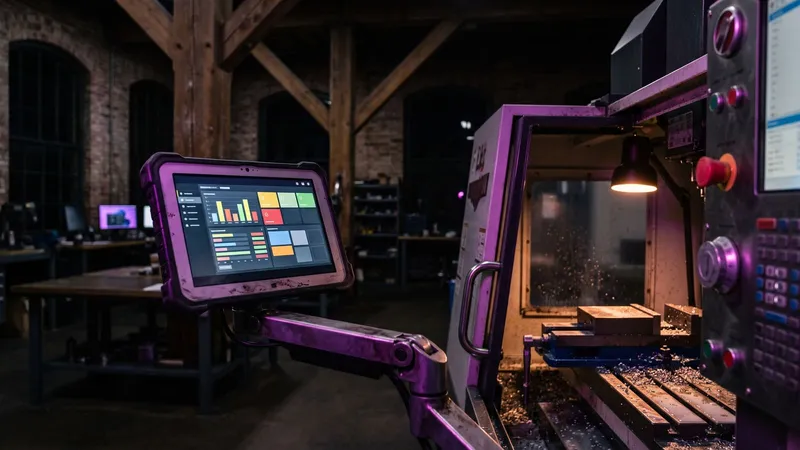
A precision shop has orders it cannot accept because it cannot find another programmer or inspector. Automation here is not a robot arm. It is the job traveler that updates itself, inspection results logged from the gauge instead of a clipboard, and quote prep that pulls past jobs so the one experienced estimator spends minutes, not hours, on each request. The workforce gap stays, but the shop's best people spend their time on the work only they can do.
A Shrewsbury accounting firm
A small firm's workforce gap is seasonal: it cannot find preparers for tax season. Document requests that chase clients on their own, intake that sorts uploads by client and year, and status updates that go out without a staff member writing them would let the permanent team handle tax season with fewer temporary hires. A person still reviews every return.
How do you plan automation for a workforce gap without breaking things?

Slowly and with your team in the room. The people living with the workforce gap know exactly which tasks waste their day.
Weeks 1 and 2: find where the hours go
- Ask each person to log their time for one week, in 30-minute blocks. Rough is fine.
- Mark every task that repeats and follows a rule.
- Write down what overtime and open roles cost you today. That is your baseline.
Weeks 3 and 4: pick one task
- Choose the task with the most hours and the lowest risk if it goes wrong.
- Decide who checks the output and how often.
- Agree on what "working" means before you build anything: hours saved, errors, response time.
Months 2 and 3: run it, measure it, then expand
- Run the new process next to the old one for two weeks.
- Compare against your baseline. Keep it only if the numbers moved.
- Then pick the next task. One at a time is how a workforce gap actually shrinks.
What does the workforce gap cost, and how do you measure the payoff?

Start with overtime, because the law makes it easy to price. Massachusetts requires overtime pay for hours past forty in a week "at a rate not less than one and one half times the regular rate," with some exceptions. (Massachusetts General Laws, c. 151, section 1A (opens in a new tab)) Every hour of routine work that covers the workforce gap after hour forty costs you half again what it did at hour thirty.
Then add the workforce gap costs that do not show up on payroll: missed calls, slower quotes, mistakes made by tired people, and the good employee who leaves because they are always covering. Put a rough number on each. If an automation saves five hours a week of overtime, you can price that in a minute. If it cannot show a number against your baseline after a month, stop it.
The rule I keep coming back to: measure before you automate, or you will never know if it worked. I wrote about how to measure whether AI actually saves time at work in 30 days (opens in a new tab).
Can a state grant pay for the training?
Often, yes. The Massachusetts Workforce Training Fund Express Program, run by Commonwealth Corporation, is open to businesses with 100 or fewer Massachusetts employees that pay into the fund, and "All for-profit companies pay into the fund." Grants are limited to "$15,000 per company per calendar year, $300 per instructional hour, and $3,000 per employee per course." (Commonwealth Corporation, Express Program guidelines (opens in a new tab)) For applications received on or after April 1, 2026, employers with 51 to 100 Massachusetts employees can be reimbursed up to 100%, up from 50%. (Commonwealth Corporation (opens in a new tab))
That money is for training people, which is exactly what a new workflow needs when the workforce gap leaves no time to learn on the job. I go deeper on Massachusetts AI training grants for employers (opens in a new tab) on my own site.
What mistakes make the workforce gap worse?

Automating everything at once. Five new systems in a month will swamp a team that already has a workforce gap. Pick one task, prove it, then move on.
Leaving the team out. Your staff know which tasks waste their day. If they help pick the first task, they will help make it work. If it lands on them as a surprise, it becomes one more thing to cover.
Treating automation as a headcount cut. The point is to make the people you have more effective and less tired. If staff believe the system is there to replace them, they will route around it, and the workforce gap gets wider.
Skipping the training. Even a good change needs a few weeks of adjustment. Budget the time, and use the state grant if it fits.
Forgetting who owns it. Every automation needs one named person who checks it and fixes it. An unowned workflow breaks quietly, usually on the busiest day.
Frequently asked questions
Will automation let me stop hiring?
Usually not, and it should not be the goal. It lets the people you have spend their hours on skilled work, so open roles hurt less and the team stops burning out while you keep recruiting.
What should a short-staffed business automate first?
The task that takes the most hours, repeats the same way every time, and is easy to check. Data entry, reminders and document filing are common first picks.
How long does it take to see results?
A single, well-chosen task can show measurable hours saved within a month if you recorded a baseline first. Without a baseline, you cannot tell.
Is automation safe for patient or client data?
It can be, with the right vendor terms. A medical practice needs a business associate agreement with any tool that handles protected health information, and every business should limit who and what can see sensitive records.
Is there money in Massachusetts to train staff on new systems?
Yes. The Workforce Training Fund Express Program reimburses approved training for businesses with 100 or fewer Massachusetts employees, up to $3,000 per employee per course and $15,000 per company per year.
Do I need AI to close a workforce gap, or is simple automation enough?
Many workforce gap problems are solved by plain rules and connected systems. Use AI where the input is messy, such as reading emails or documents, and keep a person checking its output.
This article is general information, not legal advice. Kief Studio is not a law firm, and reading it does not create an attorney-client relationship. Laws and regulations change, so check the current text and talk with a licensed Massachusetts attorney about your situation.
Where we fit

Kief Studio is in Shrewsbury, and we work with businesses in Worcester, Shrewsbury, Westborough, Grafton and across Central Massachusetts. When a team is short, we start where this note does: find where the hours go, pick one task, set a baseline and build the smallest thing that moves it.
That might be workflow automation that connects the tools you already pay for, AI implementation with a person checking every judgment call, or AI agents that work inside your CRM and projects through LTFI (opens in a new tab), the system we run for clients. We do the work, and we tell you plainly when a task is better left with a person.
First conversation is free. No commitment.
Co-founder and CTO, Kief Studio
Related articles

Automate
AI Tools for Small Business in Massachusetts by Job
AI tools for small business in Massachusetts by job: email, books, content and customer replies, plus state AI rules and training grants.
Brian Gagne

Automate
AI Consulting in Massachusetts: What to Expect and Ask
AI consulting in Massachusetts for a small business: what the work includes, what you should have running at the end, and which state rules apply.
Brian Gagne

Automate
AI Consultant in Worcester, MA: What One Does and Costs
An AI consultant in Worcester, MA: what the work includes, whether you need one yet, what drives the cost, and how to spot hype before you sign.
Amelia Gagne